1.64
e
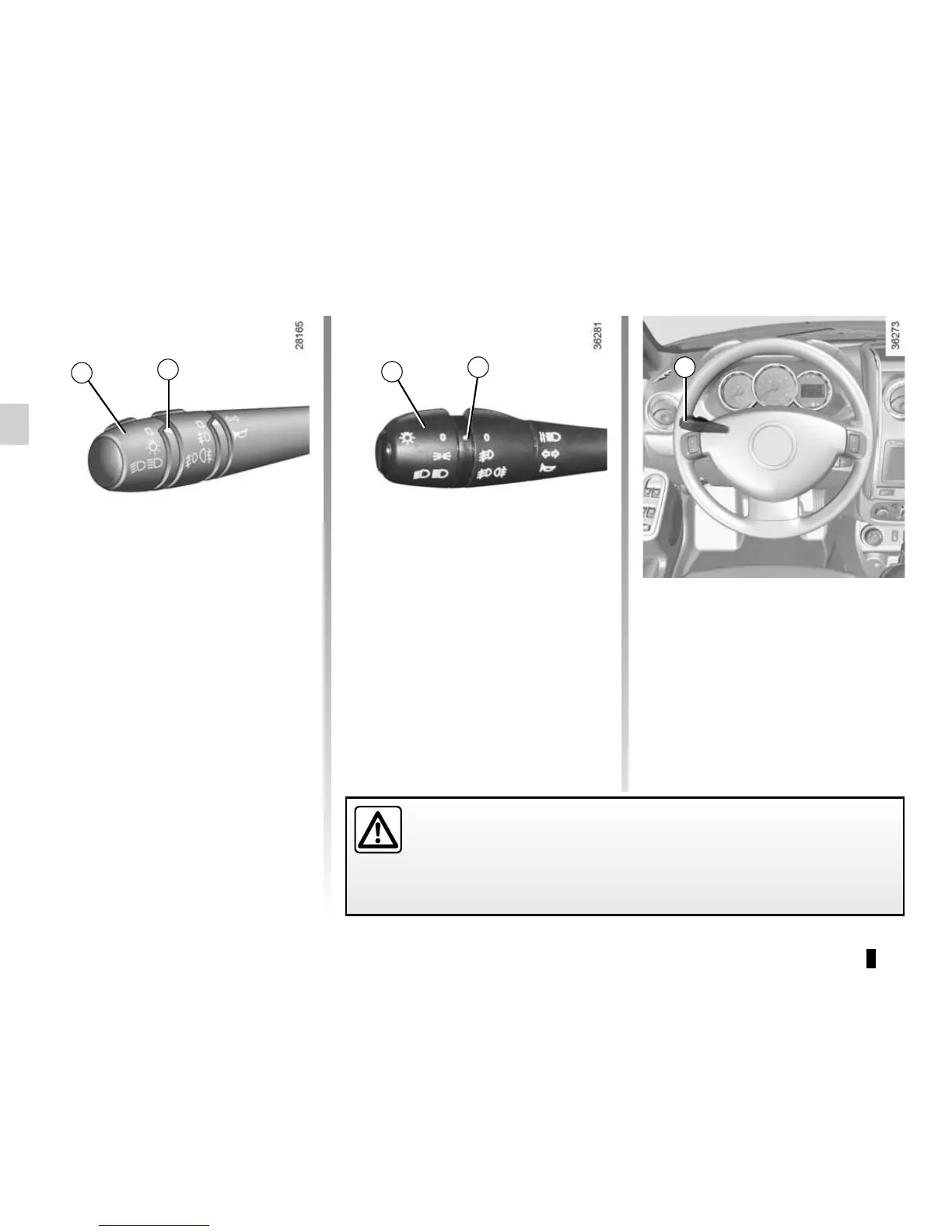
Switching off the lights
From the main beam head-
lights position, pull the stalk 1 towards
you, then turn the end of the stalk 1
until the e symbol appears by the
mark 2.
From the dipped beam headlights posi-
tion, turn the end of the stalk 1 until the
e symbol appears by the mark 2.
EXTERIOR LIGHTING AND SIGNALS (1/2)
u
Side lights
or
š
Side lights
Turn the end of stalk 1 until the
symbol is opposite mark 2.
k
Dipped beam
headlights
Turn the end of stalk 1 until the symbol
is opposite mark 2.
An indicator light on the instrument
panel will come on.
á
Main beam headlights
With the dipped beam head-
lights lit, push stalk 1. This indicator
light on the instrument panel comes on.
To return to the dipped headlight posi-
tion, pull the stalk 1 towards you again.
Before driving at night, check that the electrical equipment is operating
correctly and adjust the headlight beams (if your vehicle is not carrying
its normal load). As a general precaution, check that the lights are not ob-
scured (by dirt, mud, snow or objects being transported).
1
1
2
1
2











 To Next Page