2.26
CRUISE CONTROL - SPEED LIMITER: cruise control function (2/4)
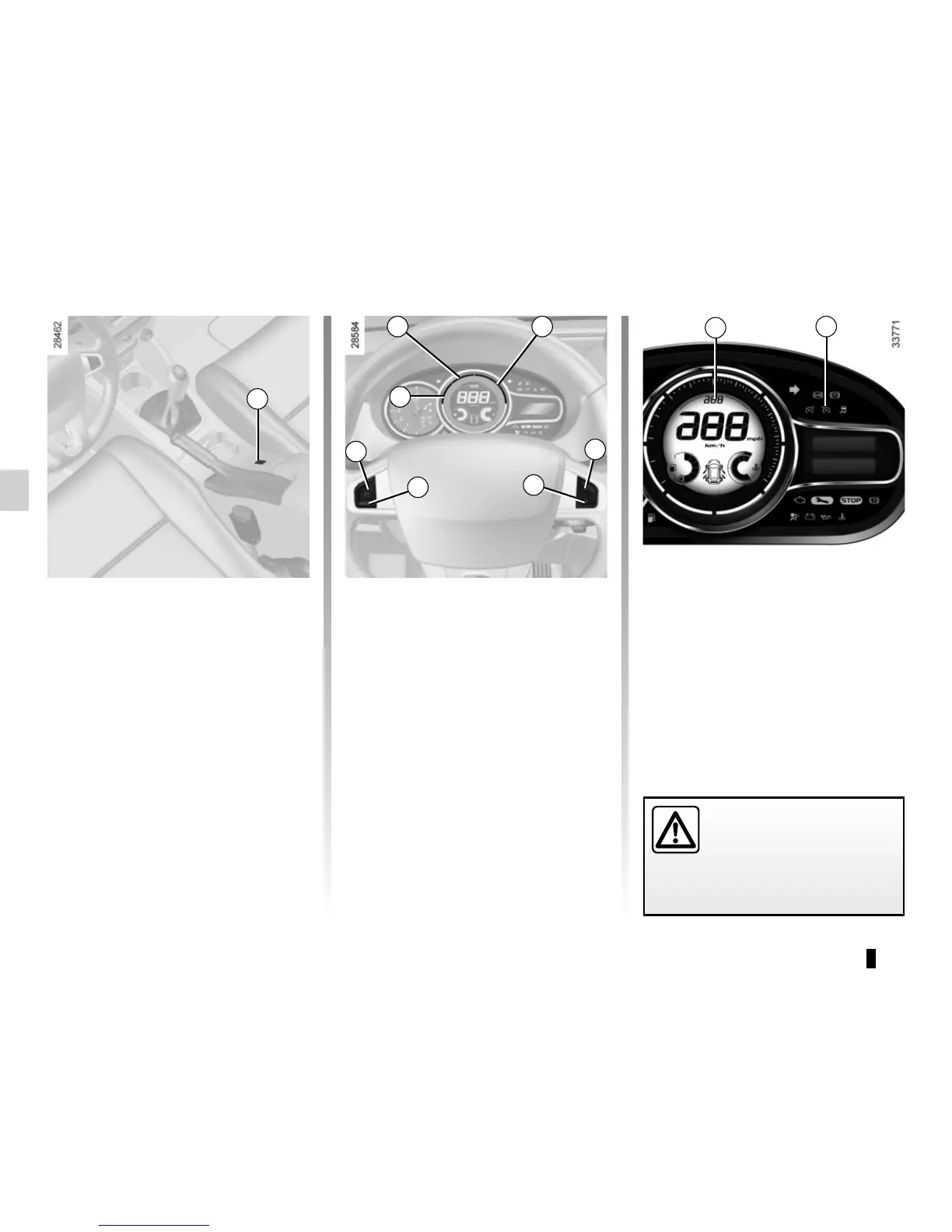
Switching on
Press switch 1 on the side showing .
Indicator light 7 comes on, lit green, and
the message “Cruise control” appears
on the instrument panel and dashes
appear in zone 6 to indicate that the
cruise control function is activated and
waiting to store a cruising speed.
Activating cruise control
At a steady speed (above 20 mph
(30 km/h) approximately) press
switch 2 (+): the speed is stored. The
cruising speed will appear in zone 6.
Cruise control activation is confirmed
when area A lights up green in addition
to indicator light 7. Area B also lights
up green to indicate that the cruising
speed has been reached.
Driving
Once a cruising speed is stored and
the cruise control function is active,
you may lift your foot off the accelera-
tor pedal.
Important: you are never-
theless advised to keep
your feet close to the pedals
in order to react if neces-
sary.
1
A
B C
2
3
5
4
7
6



 To Next Page