1.74
á
Main beam headlights
With the dipped beam head-
lights lit, pull stalk 1 towards you. This
indicator light on the instrument panel
comes on.
To return to the dipped headlight posi-
tion, pull stalk 1 towards you again.
Before driving at night,
check that the electrical
equipment is operating cor-
rectly and adjust the head-
light beams (if your vehicle is not
carrying its normal load). As a gen-
eral precaution, check that the lights
are not obscured (by dirt, mud,
snow or objects being transported).
EXTERIOR LIGHTING AND SIGNALS (1/3)
31
u
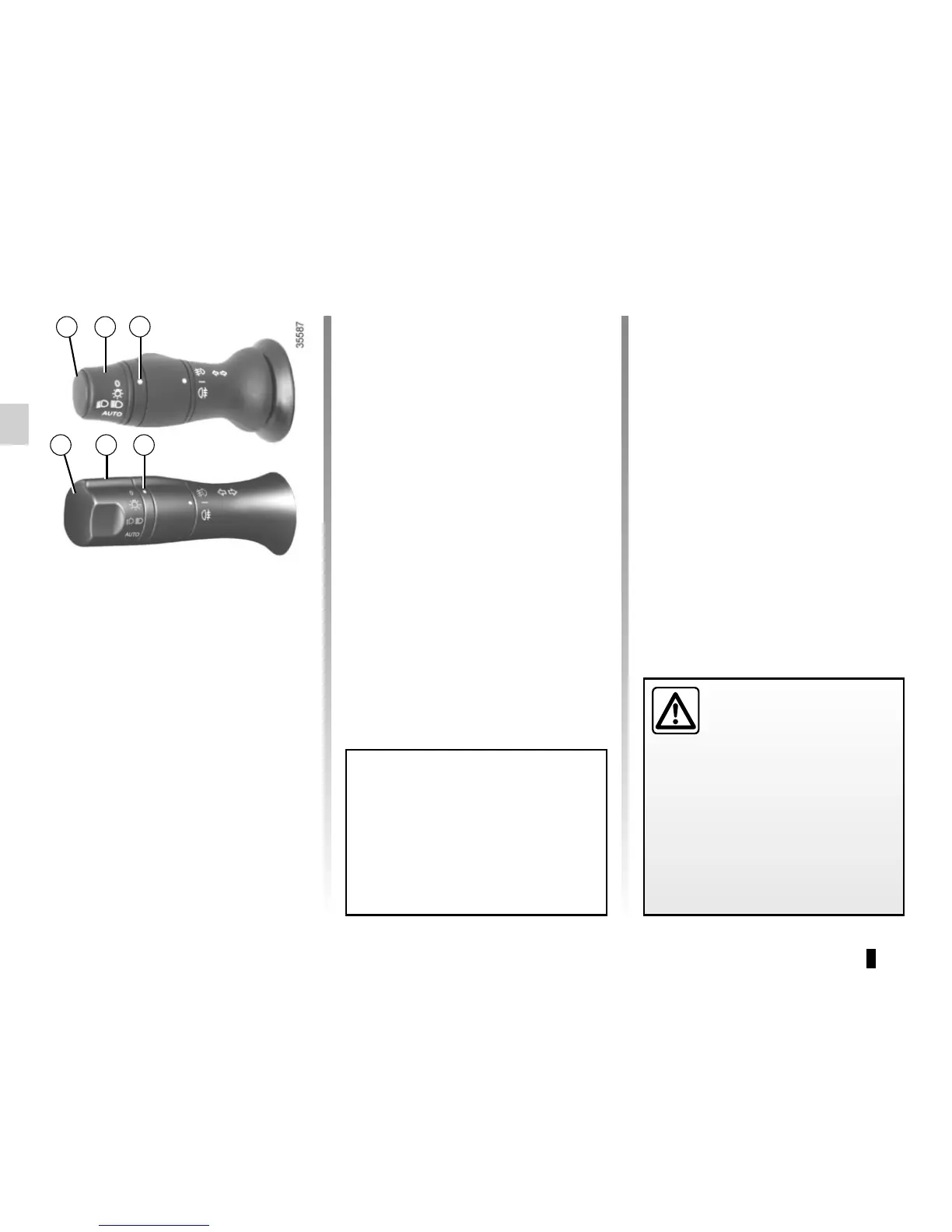
Side lights
Turn the ring 2 until the symbol
is opposite mark 3.
Daytime running lights
function
Depending on the vehicle, the daytime
running lights come on automatically
when the engine is started. To activate
or deactivate this function, refer to the
information on the “Vehicle settings
customisation menu” in Section 1.
k
Dipped beam
headlights
Manual operation
Turn the ring 2 until the symbol is oppo-
site mark 3. This indicator light on the
instrument panel comes on.
Automatic operation
(depending on vehicle)
Turn ring 2 until the AUTO symbol is op-
posite mark 3: with the engine running,
the dipped beam headlights switch on
or off automatically depending on the
brightness of the light outside, without
any action on stalk 1.
2
3
1 2
When driving on the left in a left-
hand drive vehicle (or vice versa),
drivers must re-adjust their lights
throughout their stay (see “Adjusting
headlight beams” in Section 1).



 To Next Page