3.14
ENG_UD47817_7
Conditionnement d’air : programmation (X10 - Renault)
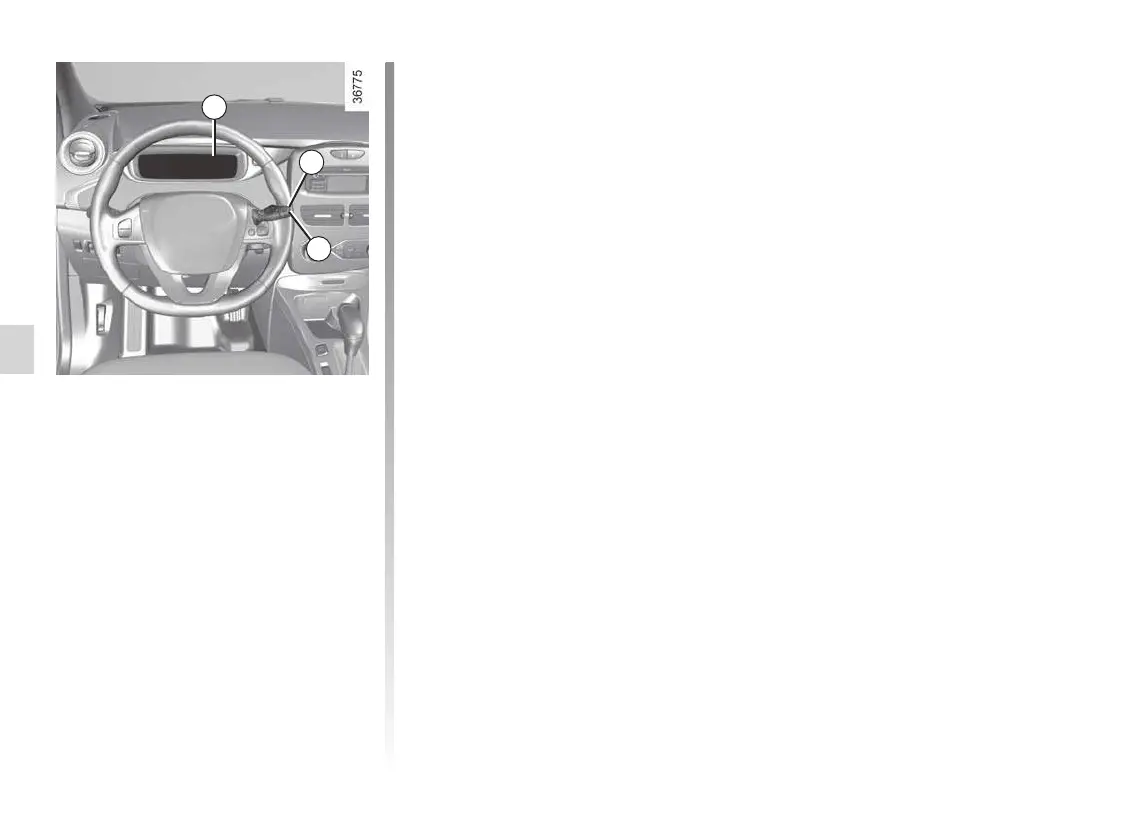
From the vehicle settings
customisation menu 3
Setting the start time for the
function
You can programme a single time.
– briefly press button B or C to access
the menu “PROGRAMMING”;
– press and hold button B or C to con-
firm;
– briefly press button B or C to access
the menu “Warm up cabin for”;
– press and hold button B or C to con-
firm;
– briefly press button B or C to access
the clock settings;
– hold down button B or C - the hours
flash;
– press buttons B and C to set the
hour;
– hold down button B or C to confirm
the hour setting;
– the minutes flash - press buttons B
and C to set the minutes;
– hold down button B or C to confirm
the minutes setting. Your settings are
now saved.
3
B
C
Air CONDiTiONiNg: programming (3/4)






 To Next Page