clock .....................................................(up to the end of the DU)
clock .....................................................(up to the end of the DU)
external temperature ............................(up to the end of the DU)
indicators:
exterior temperature indicator ..........................(current page)
1.77
ENG_UD33248_2
Heure et température extérieure (X10 - Renault)
Clock and exterior temperature
Cl OCK AND EXTEri Or TEmPEr ATUr E (1/2)
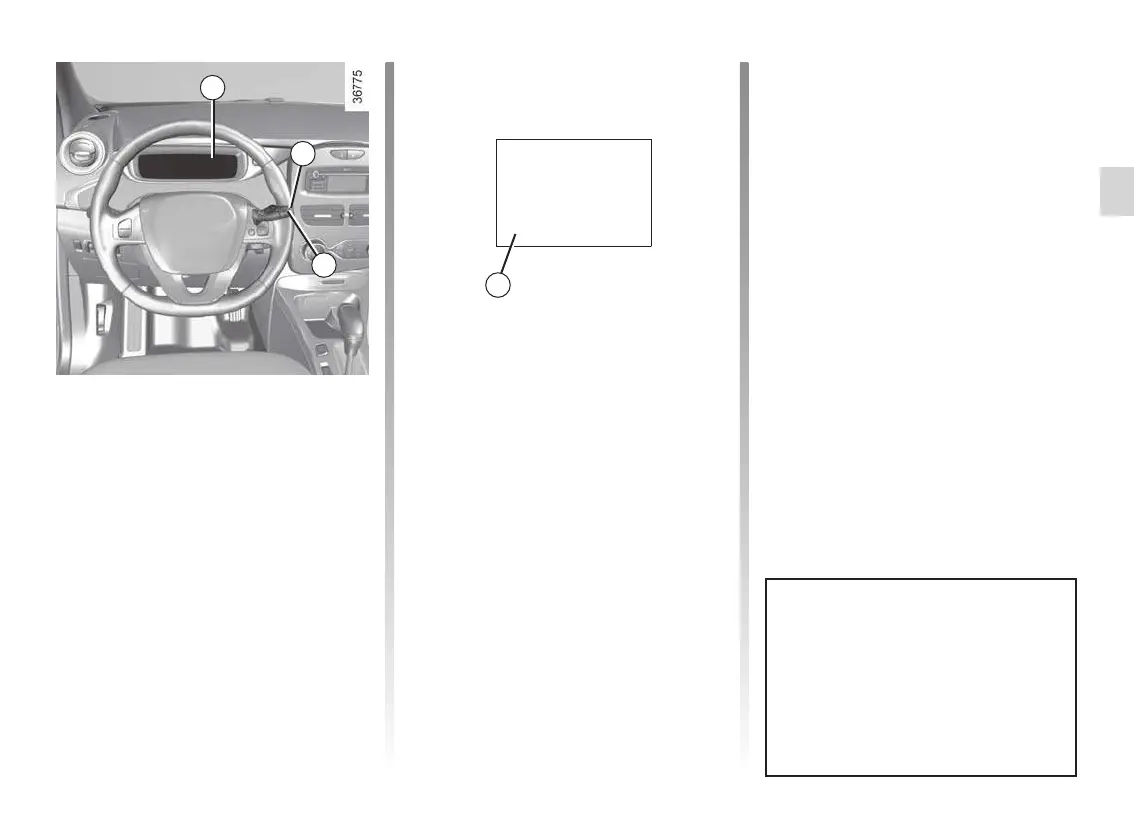
– the minutes flash - press buttons 1
and 2 to set the minutes;
– hold down button 1 or 2 to confirm
the minutes setting. Your settings are
now saved.
resetting the clock A
To access the display 3 for setting the
time:
– press button 1 or 2 a few times to
obtain the menu “Time settings”.
Wait for a few seconds.
– hold down button 1 or 2 - the hours
flash;
– press buttons 1 and 2 to set the hour;
– hold down button 1 or 2 to confirm
the hour setting;
If the power supply is cut (battery
disconnected, supply wire cut, etc.),
the clock must be reset.
We recommend that you do not
adjust these settings while driving.
9°C 12:00
3
A
1
2











 To Next Page