21
To view this screen in the main menu, tap the Right arrow button. To change between screens,
press the up or down buttons. To return to the main menu screen press the left arrow button.
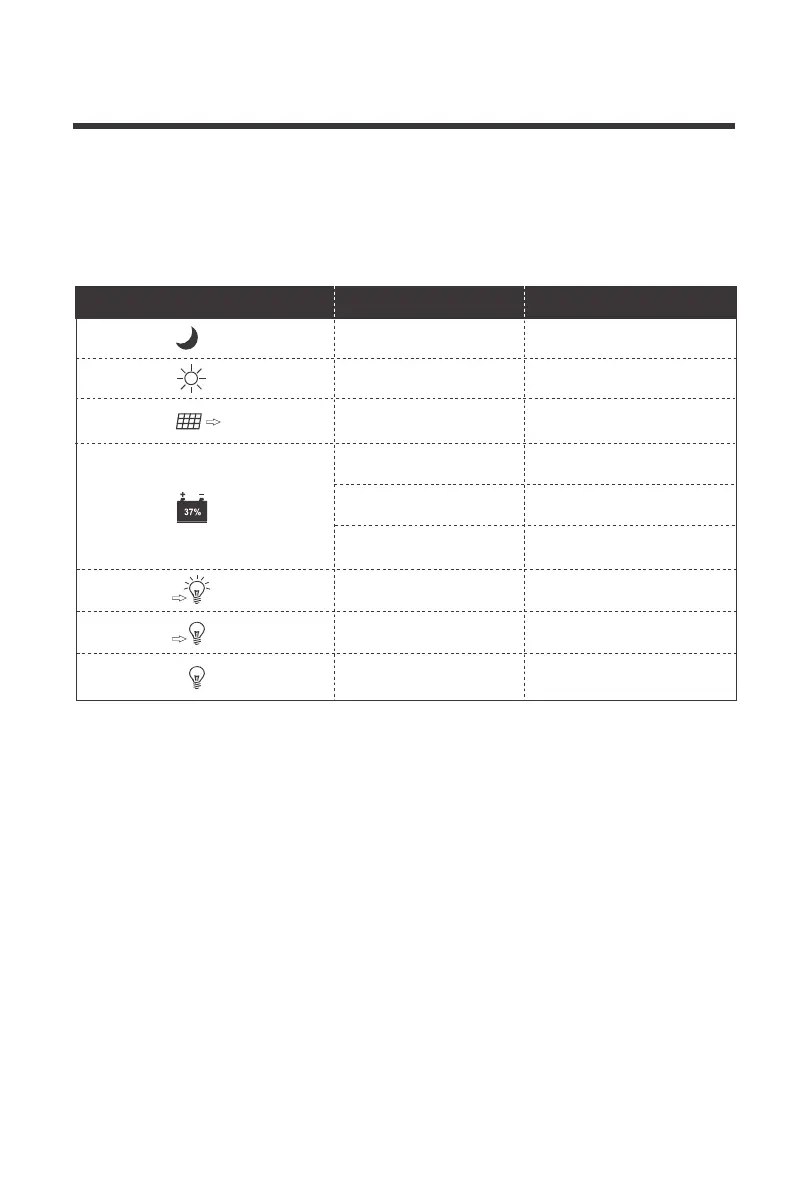
0-100%
Steady on Nighttime
Daytime
A dynamic arrow indicates
charging is in progress.
Overload or short-circuit
protection
Load Terminal is off
Load Terminal in on
Steady on
Steady on
Fast Flashing
Steady on
Steady on
0% Slow Flashing
100% Flash Flashing
Current battery capacity
Battery over-discharged
Battery over-voltage
Icon or Value State Description
Real-Time Monitoring





 To Next Page