123
Cube
®
EN
This menu allows you to check which error has occurred in case of a malfunctioning of your
ventilation system.
There are two types of errors: ‘Critical errors’ and ‘Warnings’. Only in case of a ‘Critical error’
will the fan stop operating. It will again power up once the user confirms having seen the error.
The fan will not stop functioning in case of a ‘Warning’. It is however advised to contact your
installer so that the defect component can be replaced.
9.1.3.3.2 • Fan error log
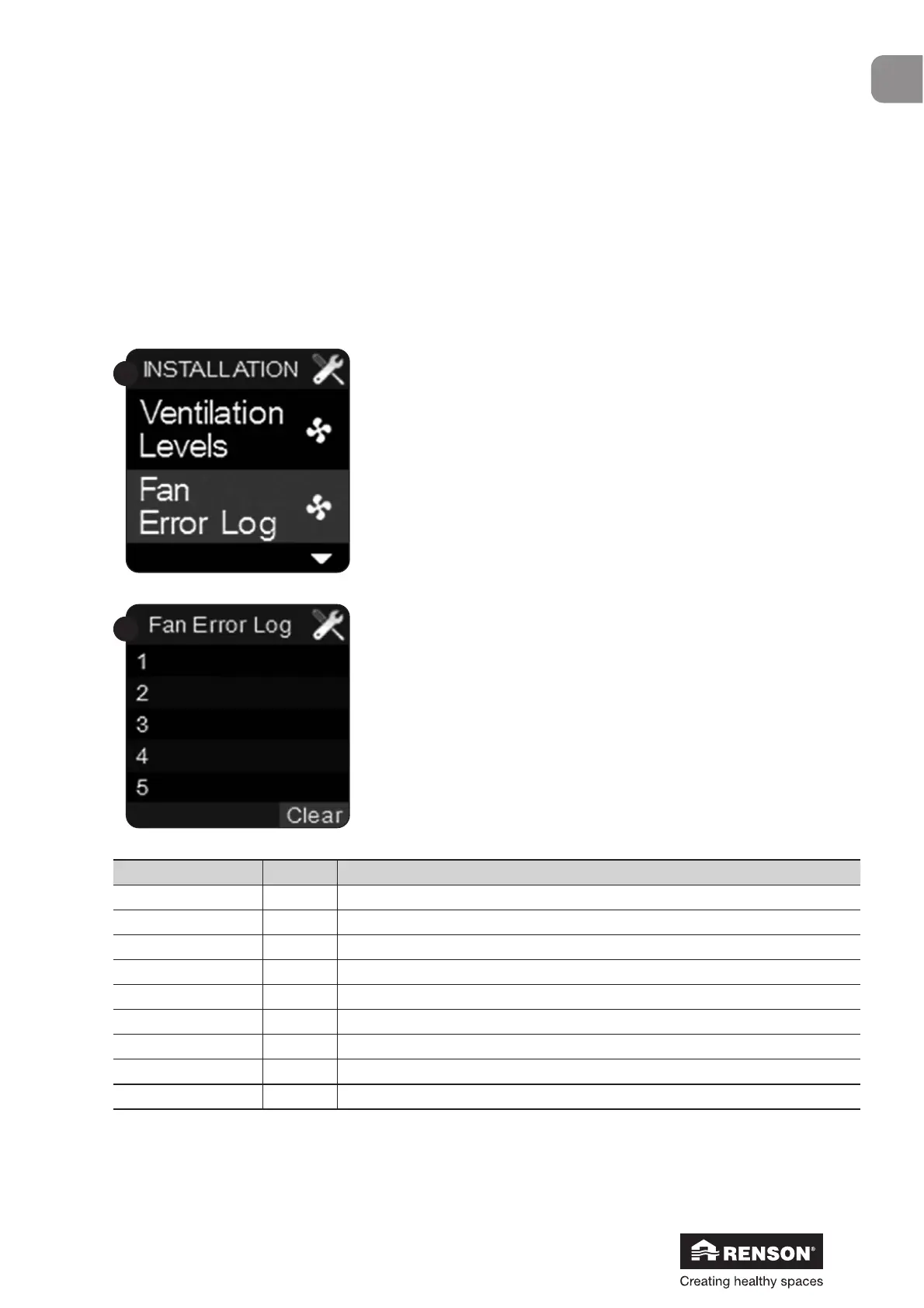
Select ‘Fan error log’ with ▼ and ▲ and confirm with ■.
‘Clear’ lights up.
Press ■ to erase the displayed errors. Erasing the errors does
not affect the functioning of the ventilation system.
Code Meaning
Critical errors 16 Fan has stopped
Warning 30 Humidity sensor not found
31 Defect temperature sensor
32 Defect humidity sensor
33 Defect CO
2
sensor
41 Presence detector 1 defect
42 Presence detector 2 defect
43 Presence detector 3 defect


 To Next Page