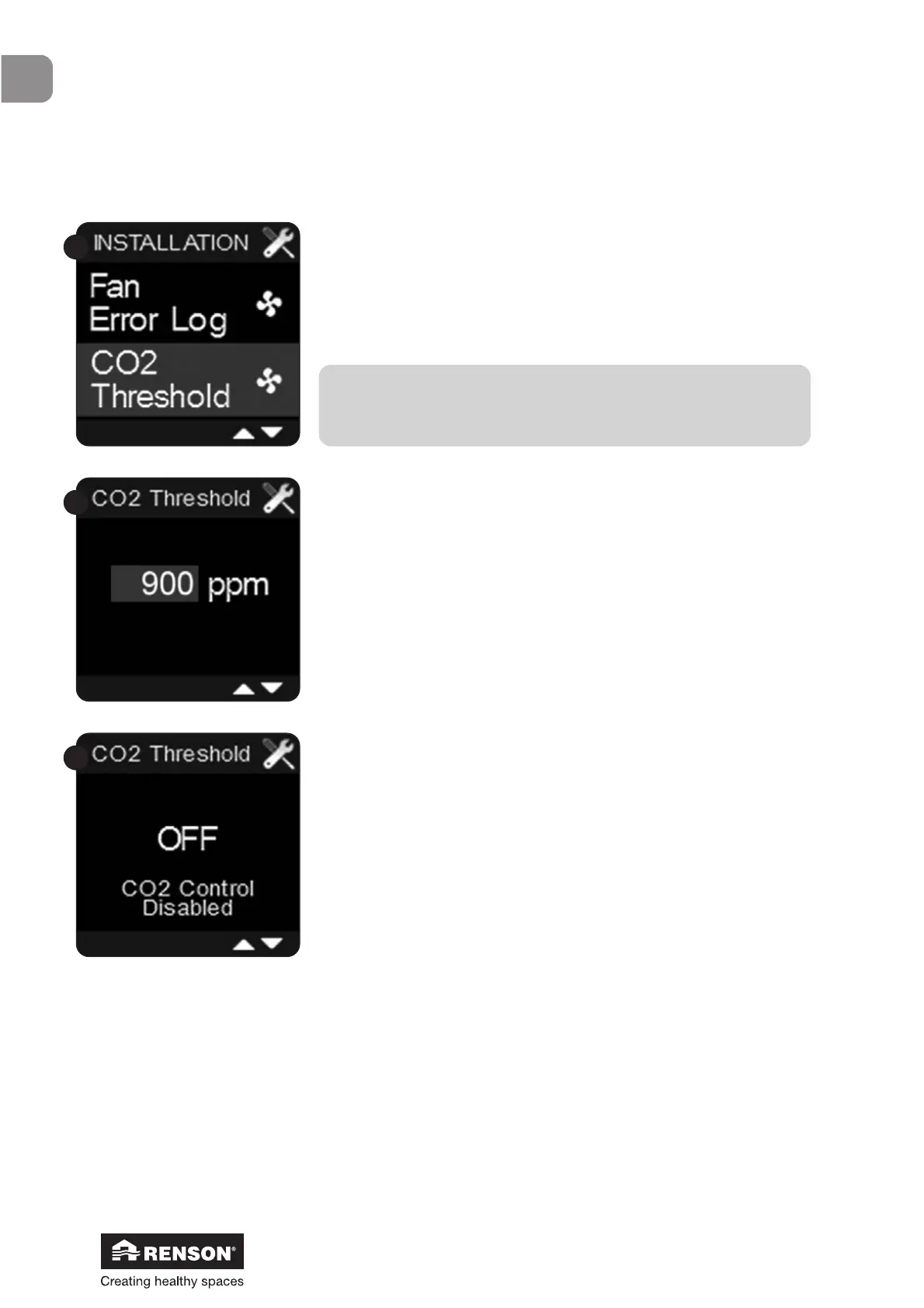
Select ‘CO
2
threshold’ with ▼ and ▲ and confirm with ■.
The threshold can be set at a value between 450ppm and
2000ppm by using ▼ and ▲. Confirm with ■.
The ventilation system will start ventilating more as soon as the
CO
2
level in the kitchen has surpassed the threshold and will
continue to do so until the CO
2
level is successfully reduced.
The default threshold value is set at 900ppm.
If you choose a value >2000ppm, you will disable the CO
2
function. The following screen will appear.
We advise you to never disable the CO
2
function.
Any alterations will not be saved if the Installer menu ‘CO
2
threshold’ is left (by holding ■ for a long time or by pressing
▼ and ▲ together) before confirming the chosen threshold.


 To Next Page