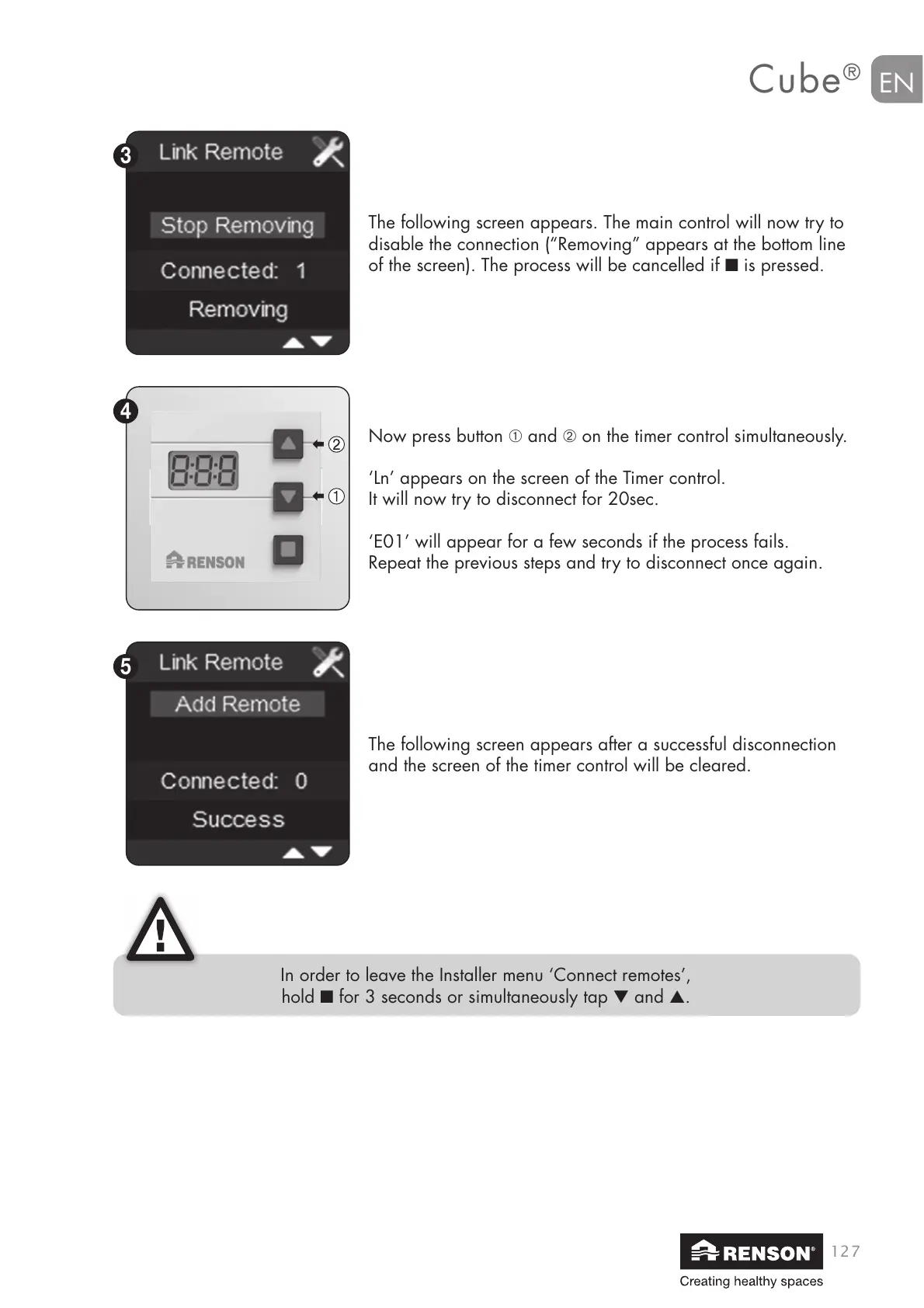
Now press button ➀ and ➁ on the timer control simultaneously.
‘Ln’ appears on the screen of the Timer control.
It will now try to disconnect for 20sec.
‘E01’ will appear for a few seconds if the process fails.
Repeat the previous steps and try to disconnect once again.
The following screen appears after a successful disconnection
and the screen of the timer control will be cleared.
The following screen appears. The main control will now try to
disable the connection (“Removing” appears at the bottom line
of the screen). The process will be cancelled if ■ is pressed.
In order to leave the Installer menu ‘Connect remotes’,
hold ■ for 3 seconds or simultaneously tap ▼ and ▲.


 To Next Page