128
Cube
®
EN
This menu allows you to connect an additional fan to 1 TouchDisplay or 2 TouchDisplays to 1 fan.
Never connect more than 2 fans to 1 main control.
9.1.3.3.5 • Connect fan
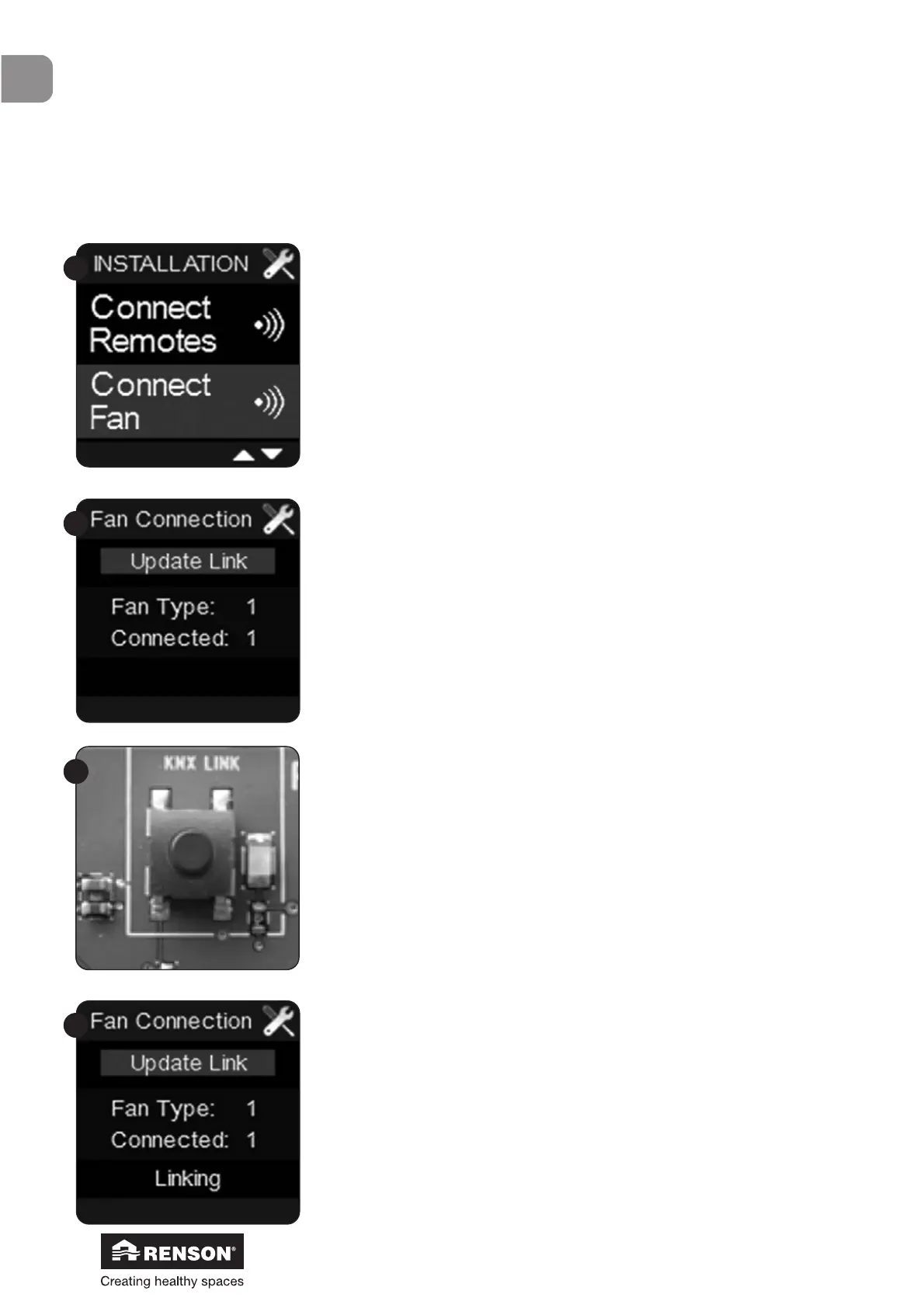
Select ‘Connect fan’ in the Installer menu and confirm with ■.
Press ■ on the TouchDisplay.
The bottom line on the display will now read ‘Linking’.
The following screen appears.
A connection with the fan can now be established.
Shortly press the button marked LINK on the main pcb of the
Cube. The LED next to the button will now start to blink.


 To Next Page