Reolink Wireless Camera
User Manual
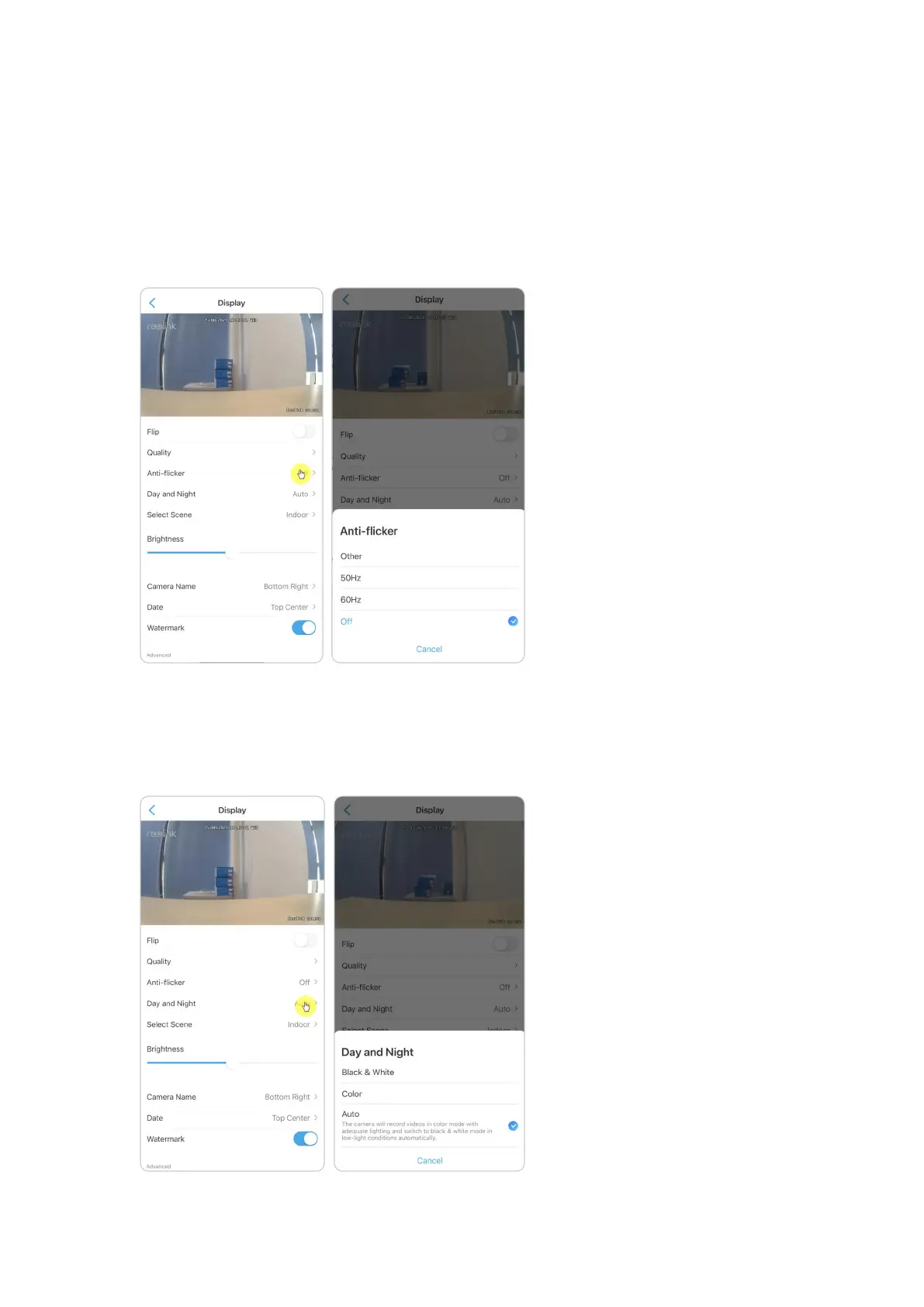
Anti-flicker
Use this feature if some devices such as TV screens and lights are flickering.
- 50Hz: Used for Australia and the UK.
- 60Hz: Used for the USA and Canada.
1. Tap Anti-flicker.
2. Choose the option from Other, 50Hz, 60Hz or Off.
Day and Night
Tap Day and Night to enter into the settings page.
Note:
It is the same as the settings on the Live View part.


 To Next Page
 Loading...