5
EN1H-2615GE25 R1020
Fixing electrical cables
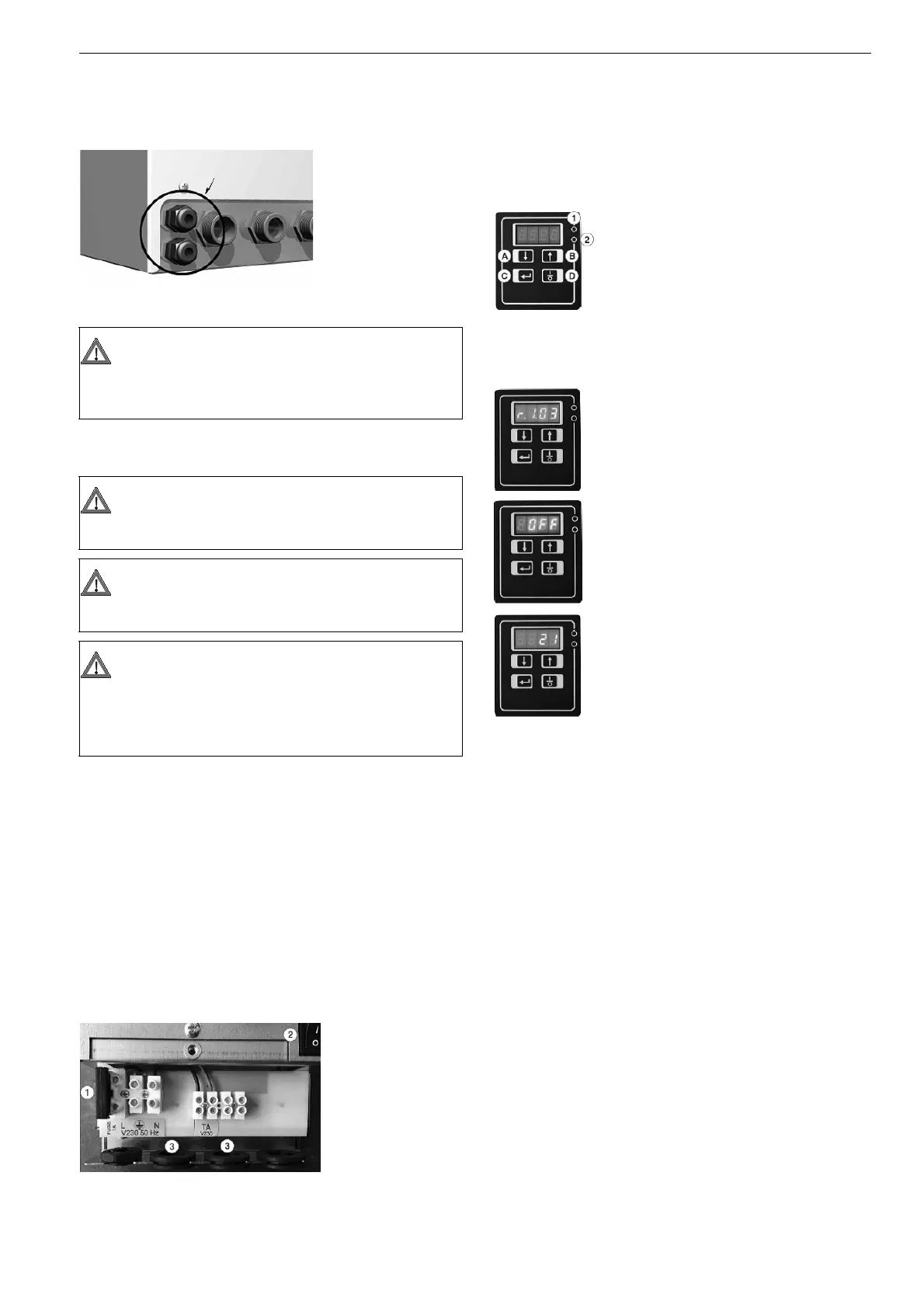
Power electrical and ambient thermostat cables enter the unit thanks to cable
glands on unit bottom side. Cable maximum diameter: 8 mm.
Cable terminals must be connected to related board inside the electrical box
( see “electrical connections”).
Electrical connections
Supply Cable (L- - N)
3 x 1.5 mm
2
cable heat resistance;
• line,
• neutral, blue sheathing
• ground, yellow/green sheathing
Room thermostat (T.A)
2 x 1.5 mm
2
cable heat resistance.
This device must give power to “TA” terminal ends in order to power relay coil
positioned inside the electric board.
Working logic:
• 230V “TA” ends voltage: heating function activation (opened valve)
• 0V “TA” ends voltage: heating function deactivation (closed valve)
1. Fuse
2. Bipolar switch
3. Cable gland
Activation
Once the installation is completed and after checking that all electric and
hydraulic connections have been correctly made, it is possible to activate the
unit by moving the bipolar switch on electric box to ON position.
Display and keypad
CAUTION
Between cable glands and electrical box, cables must be positioned
in a way that avoids contact with copper pipes. Please use the
specific cable glands supplied.
CAUTION
Before carrying out electrical connections, please read general
instructions at page 1.
WARNING
Isolate the unit from the electrical supply before removing the cover
of the electrical box.
WARNING
THIS APPLIANCE MUST BE GROUNDED.
Ground wire connection must be secured against releasing. The elec-
trical installation must only carried out by competent persons in accor-
dance with the current edition of the IEE regulations.
The LED lights on the right side of the digital display
indicate the actions of the hot water temperature
control system.
Red LED = Valve opening/open - the temperature of
the hot water is required to be raised
Green LED = Valve closing/closed - the temperature
of the hot water is required to be reduced
In order to turn it off, press the “ON/OFF” button: if the
equipment is still powered, the “OFF” sign will appear.
When the unit is electrically powered,the installed soft-
ware version is shown on the display for a few
seconds.
Immediately after, if the equipment was off the last
time it was powered (default condition at the time of
purchase),the “OFF” message appears. In order to
turn it on, press the “D”-ON/OFF button once.
The display shows the temperature detected by the
sensor which is placed at the outlet of the domestic hot
water delivered to the dwelling. When a hot water tap
is opened, the unit will start automatically.
HYBO - HYDRAULIC INTERFACE UNIT



 To Next Page