1
English
English
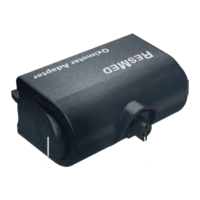
Thank you for choosing the ResMed S9 USB adapter. Used with ResMed S9
devices, the S9 USB adapter transmits patient therapy data between the device and
a personal computer (PC) for compliance monitoring.
Please read the entire manual before using this device.
S9 USB adapter at a glance
The S9 USB adapter comprises the following elements:
•S9 USB adapter
•USB cable.
S9 USB adapter
Refer to illustration A.
1. USB cable connector port
2. Release button
3. Adapter clip
4. Adapter connector
Rear panel of S9 device
Refer to illustration B.
1. DC power inlet
2. Adapter clip socket
3. Module/Adapter port
4. SD card slot
5. Alarm (Bilevel alarmed devices only)
Setup
1. Ensure the PC intended for use has ResMed’s patient management software
installed (EasyCare, or ResScan v3.8 or greater).
2. Disconnect the S9 device from the power outlet.
3. Align the S9 USB adapter clips with their corresponding sockets and push the
adapter onto the S9 device [see illustrations C and D]. Ensure the adapter clips
click into place.
4. Connect one end of the USB cable to the USB adapter and the other end
to the PC.





 To Next Page