2020 September. Ontario VEP Stellar™150: Charging Your External Battery for the Stellar™150/ Connecting Your Stellar™150
to Your External Battery: ©2020 Ontario Ventilator Equipment Pool. All rights reserved. Rev date: 10/01/2020
Connecting Your Stellar™150 to Your External Battery
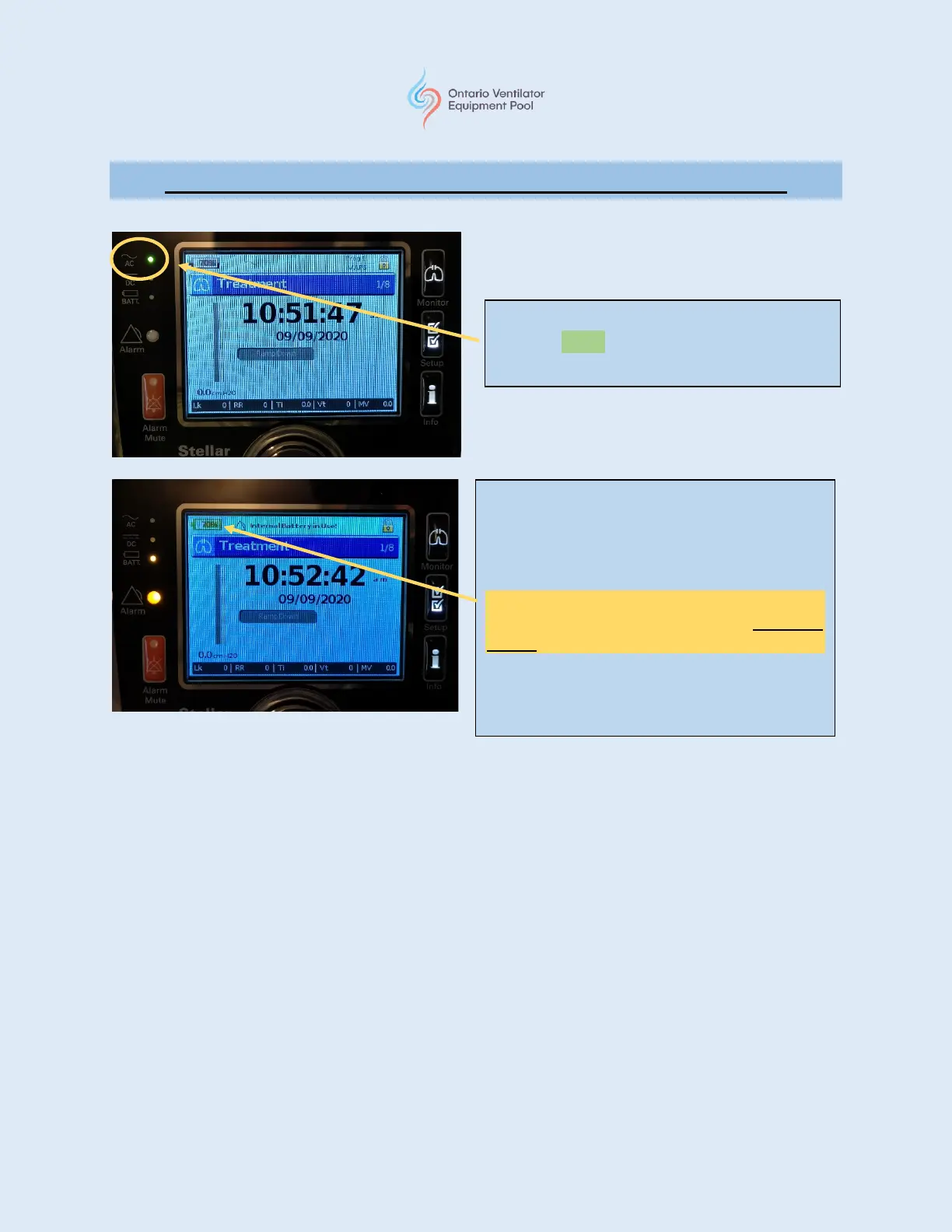
Under normal operation, the AC LED will
light up green indicating there is power to
the Stellar™150.
With an electrical outage, the Battery LED will
illuminate indicating the Stellar™150 is using the
internal battery for power.
“Internal Battery in Use!” will appear at the top
of the Treatment screen.
The battery icon will indicate the amount (%) of
charge left in the internal battery. (see note
below)
The Alarm LED will illuminate and an audible
tone alarm will sound. Press the alarm button to
silence the alarm.







 To Next Page