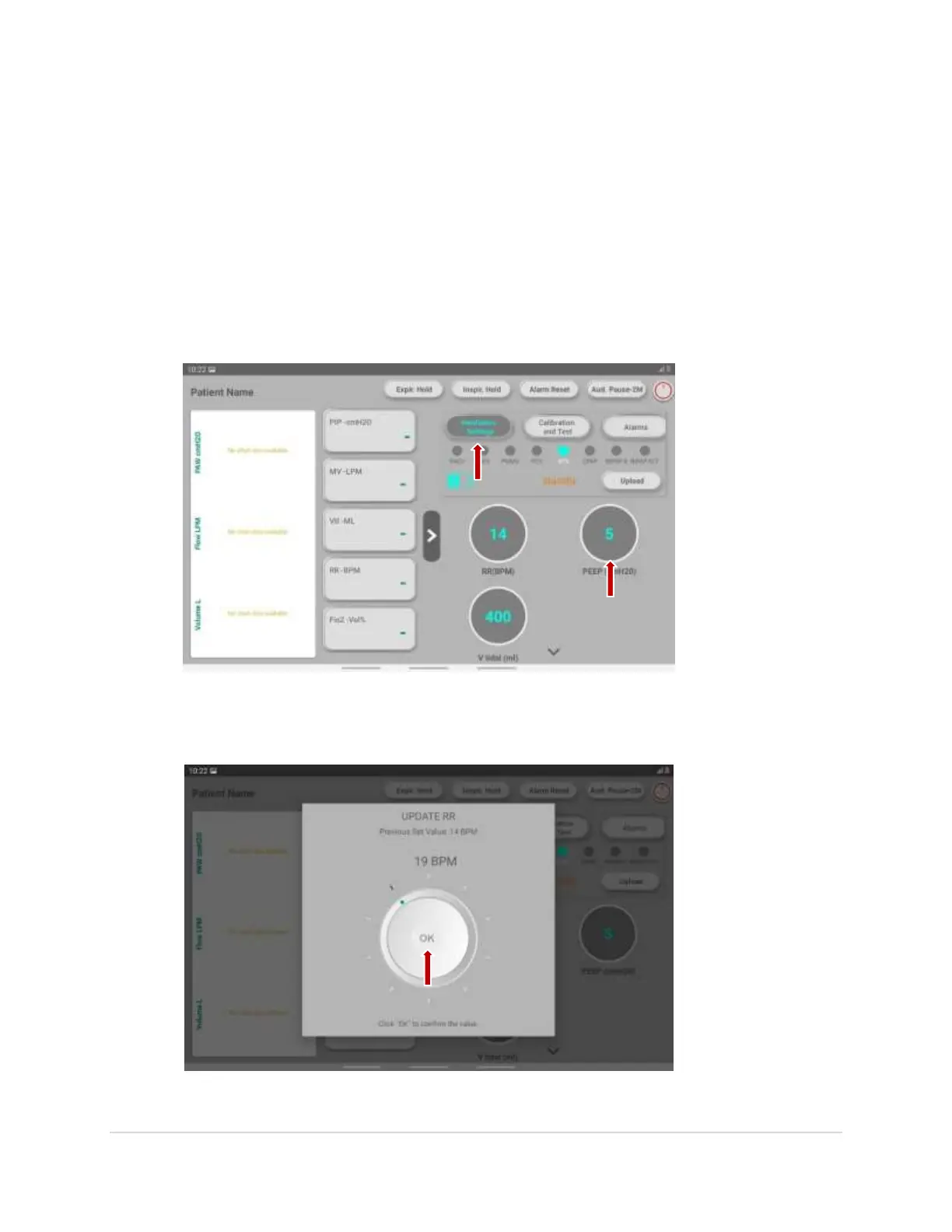
Ventilator Settings
5. To start with the ventilator settings, at the central right side of the screen, click on the
“Ventilator Settings”.
6. Click on the specific mode to change the parameters.
7. To set the parameter, long press on the particular knob.
8. As you see in the below image, roll the knob and press on ok to confirm.(Image)
12 | P a g e


 To Next Page