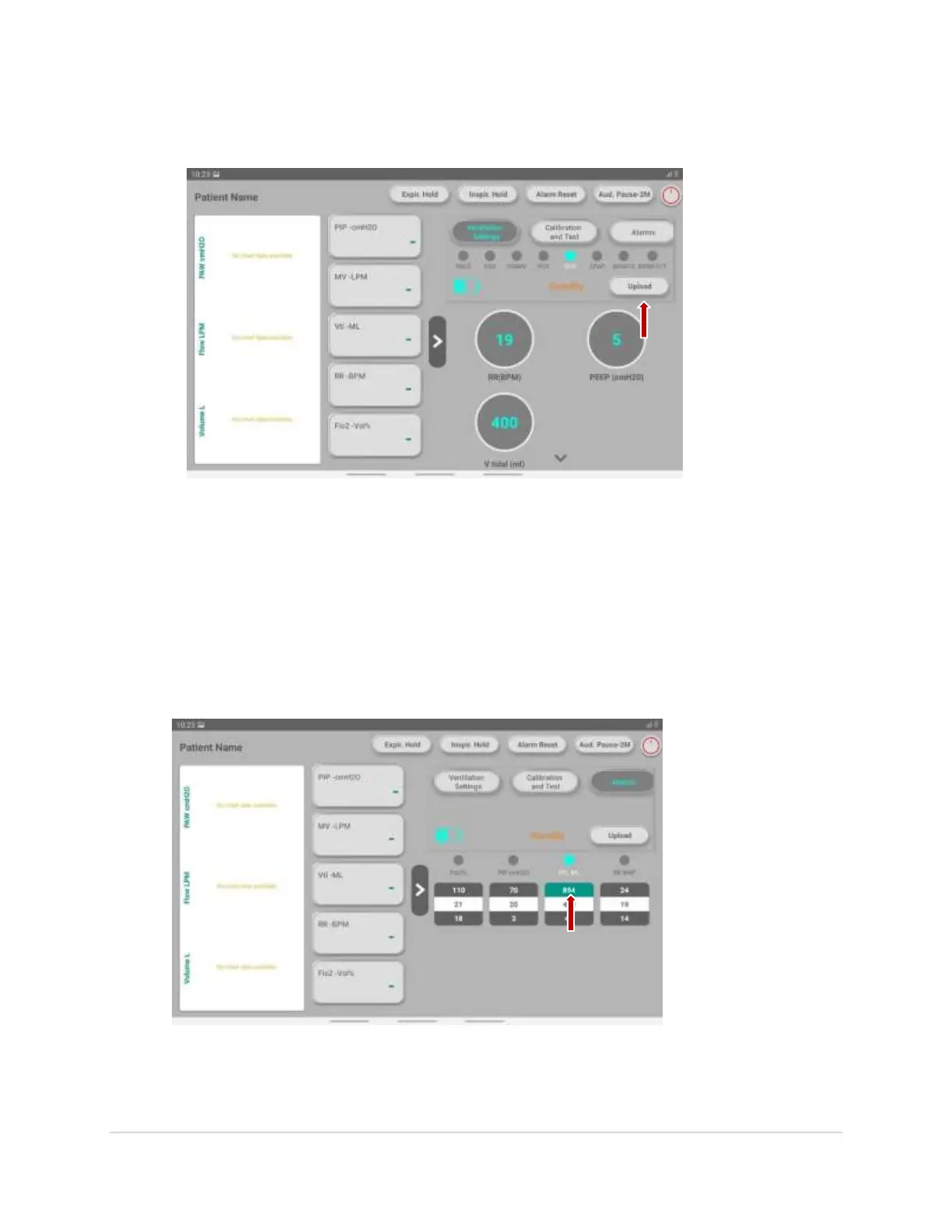
9. To start the process, click on the “Upload” button as shown in the below image.
Alarm Setting
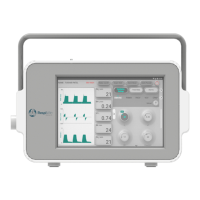
1. To set the alarm, at the central right side on the screen, click on the “Alarm” option as
shown in the below image.
2. To set the limit value, click on the upper mentioned value as shown in the image.
13 | P a g e


 To Next Page