EasyManua.ls Logo

Resvent iBreeze 20C - User Manual

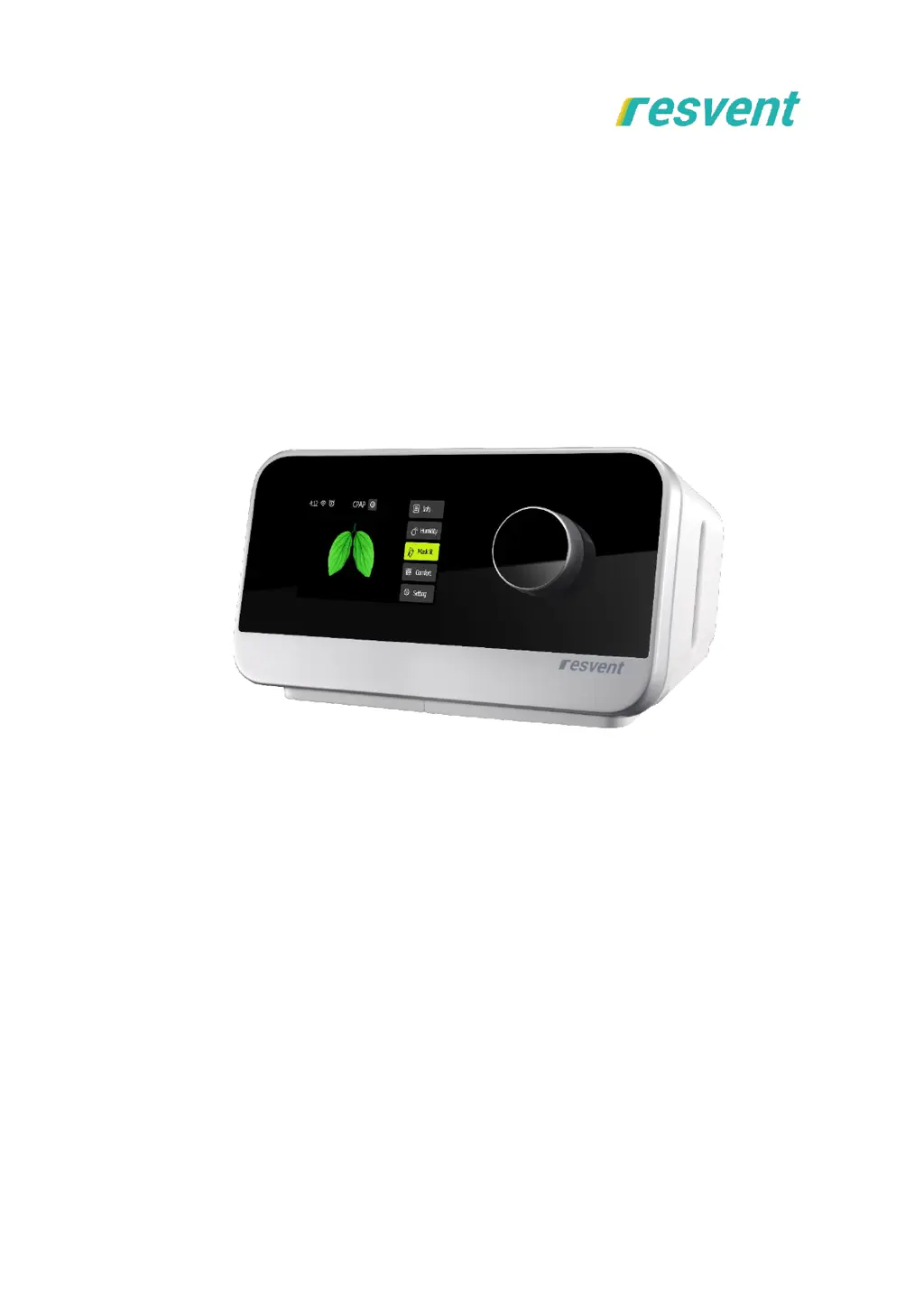
Resvent iBreeze 20C
29 pages
Print Icon
To Next Page IconTo Next Page
Loading...
CPAP Clinical Guide
iBreeze 20C / 20C Pro
iBreeze 20A / 20A Pro

Questions and Answers

  • K
    Katherine EllisAug 18, 2025
    How to fix air leaking from around my Resvent iBreeze 20C Medical Equipment mask?
    • H
      Heather MillerAug 18, 2025
      If air is leaking from around your mask, it might not be fitted correctly. Ensure your mask is properly fitted. Refer to your mask user guide for fitting instructions or use the Mask Fit function to check the fit and seal.
  • E
    eharperAug 20, 2025
    What to do if my Resvent iBreeze 20C device doesn't turn on?
    • R
      Richard StevensAug 20, 2025
      If your device isn't turning on, check the outlet to ensure it has power and that the device is properly plugged in. Verify the AC power cord is correctly connected to the power supply and the power supply cord is securely connected to the device’s power inlet. If the problem persists, contact your home care provider, returning both the device and power supply for assessment.
  • J
    John KentAug 23, 2025
    Why is my mouth so dry using Resvent iBreeze 20C Medical Equipment?
    • J
      Jason MorenoAug 23, 2025
      If your mouth is very dry and uncomfortable while using the device, it could be due to air escaping through your mouth. Try increasing the Humidity Level. Alternatively, consider using a chin strap to keep your mouth closed or switch to a full face mask.
  • D
    Damon WilsonAug 26, 2025
    How to stop a dry nose with Resvent iBreeze 20C Medical Equipment?
    • D
      Dana FletcherAug 26, 2025
      If you're experiencing a dry or blocked nose, the humidity level might be set too low. Adjust the Humidity Level to a more comfortable setting.
  • C
    Catherine MahoneyAug 28, 2025
    What to do if I get water droplets with Resvent iBreeze 20C?
    • A
      Amanda GonzalezAug 28, 2025
      If you're getting droplets of water on your nose, in the mask, and air tubing, the humidity level might be set too high. Adjust the Humidity Level to reduce condensation.
  • E
    evanshunterAug 30, 2025
    Why is the air pressure too low in my Resvent Medical Equipment mask?
    • J
      John BrownAug 31, 2025
      If the air pressure in your mask seems too low, the Ramp function might be in progress. Either wait for the air pressure to build up or turn the Ramp Time off.
  • K
    kleeSep 2, 2025
    Why is my Resvent iBreeze 20C water tank leaking?
    • J
      Joshua BrownSep 2, 2025
      If your water tank is leaking, it may not be assembled correctly, or it could be damaged or cracked. Check for any damage and reassemble the water tank correctly. If the leak persists, contact your care provider for a replacement.
  • B
    Brandon LesterSep 4, 2025
    Why does my Resvent Medical Equipment keep blowing air after stopping therapy?
    • Z
      zsandersSep 4, 2025
      The device blows a small amount of air after therapy has stopped to prevent condensation in the air tubing. It will stop automatically after a few minutes.
  • C
    Crystal MitchellSep 7, 2025
    What to do if Resvent iBreeze 20C Medical Equipment display is erratic?
    • J
      jpierceSep 7, 2025
      If the device's display is erratic (crashes, blank or blue screen), it may be due to the device being dropped or mishandled. Unplug the device, then reapply power. If the problem continues, contact your home care provider.
  • T
    tmooreSep 9, 2025
    What to do for a non-responsive key on Resvent iBreeze 20C Medical Equipment?
    • T
      Troy CampbellSep 9, 2025
      If you are experiencing a key exception (non-responsive or insensitive), it may be due to program crashes or key misalignment. Unplug the device, then reapply power. If the problem continues, contact your home care provider.

Summary

Welcome

Manufacturer Responsibility

Outlines manufacturer's responsibilities for product safety, reliability, and performance.

Intended Use

Contraindications

Symbol Key

Control Panel Symbols

Explains symbols used on the device, power supply, and accessories.

System Overview

Device Navigation

Details the device's physical features and user interface navigation.

Operation

Accessing Clinical Mode

Guide to entering and exiting the clinical mode for therapy setup.

Clinical Standby Interface

Description of the main screen displayed after entering clinical mode.

Clinical Therapy Interface

Details the interface showing therapy parameters during operation.

Clinical Comfort Settings

Settings to adjust comfort features like Ramp, iPR, and Auto Start.

Clinical System Settings

Configuration options for pressure units, brightness, language, and date.

Therapy Information

CPAP Mode

Details CPAP therapy mode and its parameters like Pressure and E-COMP.

CPAP-V Mode

Explains CPAP-V mode for patient titration with Pmax, Pmin, and Titra time.

APAP Mode

Describes APAP mode with automatic pressure adjustment based on patient status.

APAPW Mode

Specifies APAPW mode for female patients with increased sensitivity.

Events

Defines sleep events like Apnea, Hypopnea, Snore, and Flow Limitation.

Device Alert

Troubleshooting

Cleaning and Maintaining

Cleaning Procedures

Instructions for cleaning the device, tube, water tank, and air filter.

Travel and Maintenance

Guidelines for traveling with the device and basic maintenance checks.

Maintenance

Storage and Disposal

Storage Guidelines

Recommendations for storing the device under prescribed ambient conditions.

Disposal Procedures

Instructions for proper electronic waste disposal of the device.

Specification

Resvent iBreeze 20C Specifications

General IconGeneral
Pressure Range4-20 cmH2O
Data StorageSD Card
HumidificationIntegrated Heated Humidifier
Device TypeCPAP
Mode of OperationCPAP, Auto CPAP
Ramp Time0 to 60 minutes
Sound Level< 28 dB
Heated Humidifier Levels0-5
Power SupplyAC 100-240V, 50/60Hz
DisplayLCD Screen
Battery OptionOptional External Battery

Related product manuals