EasyManua.ls Logo

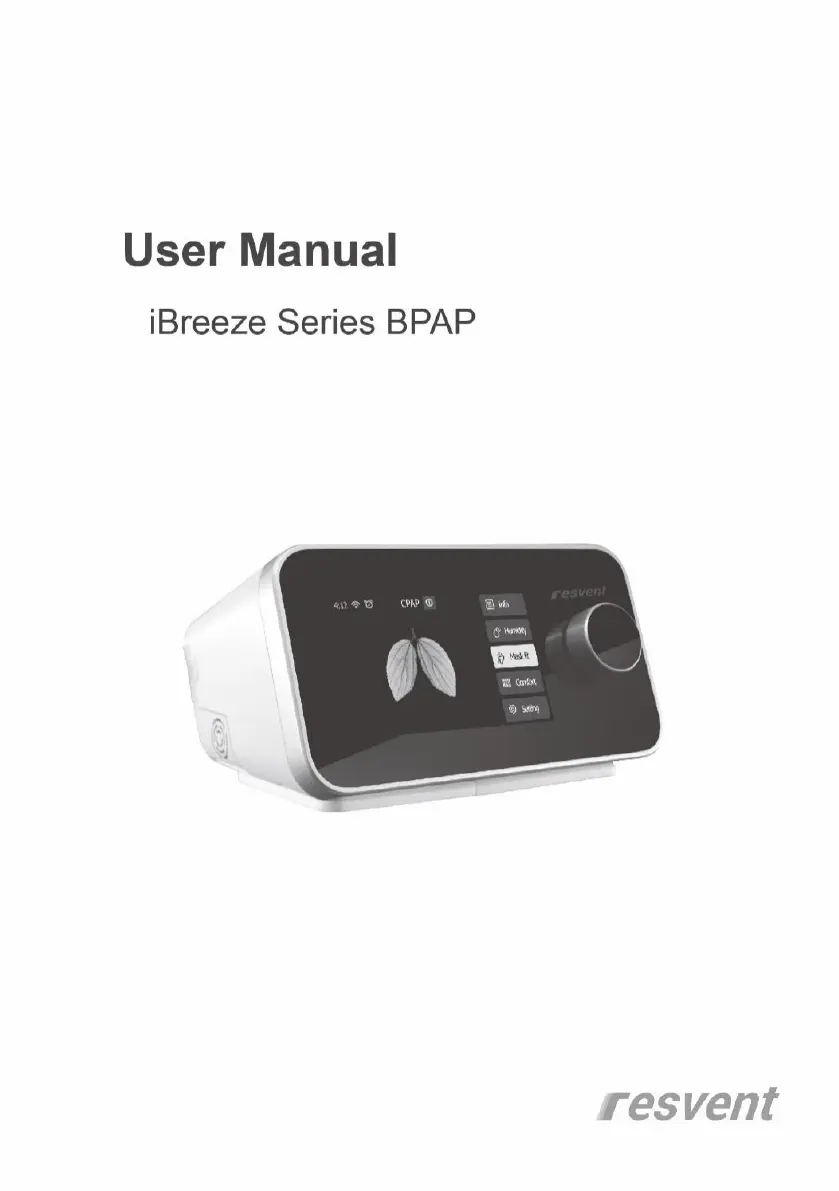
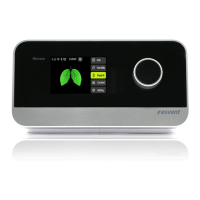
Resvent iBreeze Series - User Manual

Resvent iBreeze Series
37 pages
Print Icon
To Next Page IconTo Next Page
Loading...

Other manuals for Resvent iBreeze Series

Questions and Answers

  • J
    john70Sep 18, 2025
    What to do if Resvent iBreeze displays Face mask has expired?
    • M
      mjohnsonSep 18, 2025
      If your Resvent Medical Equipment displays 'Face mask has expired,' it means the face mask usage time has exceeded the setup usage time. Click “confirm” and replace the face mask.
  • R
    Roberta JonesAug 25, 2025
    How to fix Resvent iBreeze Medical Equipment when it cannot connect to the internet?
    • T
      Teresa SotoAug 25, 2025
      If your Resvent Medical Equipment is unable to connect to the internet, it might be due to several reasons: the network connections may not be configured correctly, there could be a connection fault between the wireless module and the main PCBA, the wireless module might be faulty, or there could be a main PCBA failure. Here’s what you can do: * First, configure the network correctly according to the user manual. * Second, replace or repair the connection wire. * Third, replace the wireless module. * Fourth, replace the main PCBA.
  • H
    Heather AndersonAug 25, 2025
    What to do if Resvent iBreeze Medical Equipment crashes?
    • A
      Amy StewartAug 26, 2025
      If your Resvent Medical Equipment crashes, it could be due to a software bug or a main PCBA malfunction. First, try restarting the machine. If the problem persists, update the software. If neither of these steps works, the main PCBA may need to be replaced.
  • D
    Donald GrahamAug 26, 2025
    How to resolve Touchscreen failure on Resvent Medical Equipment?
    • R
      Raymond MahoneyAug 27, 2025
      If the touchscreen on your Resvent Medical Equipment fails, it could be due to a loose touchscreen wire or a broken touchscreen. First, try reconnecting the touchscreen wire. If that doesn't work, replace the front shell set.
  • M
    Mary BlairSep 19, 2025
    What to do if Resvent iBreeze displays SD is full?
    • A
      Aaron HopkinsSep 22, 2025
      If your Resvent Medical Equipment displays 'SD is full,' and you're in the standby interface, it means the SD storage has about 200M left. Replace with a new SD card or empty the SD card after outputting its contents.
  • L
    lmedinaSep 23, 2025
    What causes Other function failure on Resvent Medical Equipment?
    • J
      John WatsonSep 23, 2025
      If you experience any other function failure with your Resvent Medical Equipment, it is due to a main PCBA failure, replace the main PCBA.
  • J
    Joanne LeSep 9, 2025
    Why Resvent Medical Equipment shows Water level to low?
    • C
      Charles ElliottSep 10, 2025
      If your Resvent Medical Equipment displays 'Water level too low,' it means that during humidification, the water level has dropped below the limited level. To resolve this, take the water tank out and add water to the proper level.
  • T
    Taylor Pacheco DDSSep 12, 2025
    What to do if Resvent iBreeze Medical Equipment displays Configuration information error?
    • S
      Shannon TerrySep 12, 2025
      If your Resvent Medical Equipment shows a 'Configuration information error' message, it indicates a wrong configuration. Restore Configuration.
  • R
    rosemadisonSep 3, 2025
    What to do if Resvent iBreeze Medical Equipment shows SD card failure?
    • M
      Michael WalkerSep 3, 2025
      If your Resvent Medical Equipment indicates an SD card failure, it could be because the SD card cannot be read or written, or there's an SD card read or write error. Try pulling out the SD card and re-inserting it. If the problem persists, replace it with a new one.
  • A
    Autumn McdonaldSep 1, 2025
    What causes Key button board or knob encoder failure in Resvent Medical Equipment?
    • J
      Joseph Mckenzie MDSep 1, 2025
      If the key button board or knob encoder fails on your Resvent Medical Equipment, it could be due to a connection failure or a failure of the button board or encoder itself. First, try replacing or repairing the connection wire. If that doesn't work, replace the key button board or encoder.

Summary

Welcome

Intended Uses

Contraindications

Safety Information

Symbol Definitions

System Contents

System Overview

Device Placement and Power Supply

Instructions for correctly positioning the device and connecting to AC power.

Connecting the Breathing Circuit

Step-by-step guide to connect the mask and tubing to the device.

Water Filling Operation

Procedure for filling the water tank for humidification.

Navigating Device Screens

Device Operation

Starting and Stopping Therapy

Steps to initiate and conclude a therapy session using the device.

Patient Standby Interface

Describes the main menu and icons available in the device's standby mode.

Patient Therapy Interface

Details the display and parameters shown during active therapy sessions.

Patient Comfort Settings

Explains how to adjust comfort-related features like Preheat, Ramp, and IPR.

System Settings Configuration

Instructions for configuring system-wide options such as brightness, language, and date.

Patient Report Menu

How to access and interpret patient sleep quality reports and usage data.

SD Card Management

Procedures for handling the SD card for data storage and transfer.

Device Alerts and Notifications

Troubleshooting Common Issues

Cleaning and Maintaining

Device Cleaning, Tube Cleaning, and Filter Replacement

Procedures for cleaning the device, tubes, and installing/replacing air filters.

Travel and Device Maintenance Guidelines

Instructions for packing the device for travel and general maintenance advice.

Routine Maintenance and Service Life

Storage and Disposal Procedures

Storage Guidelines

Recommended conditions and steps for storing the device.

Disposal Instructions

How to properly dispose of the device and its packaging as electronic waste.

Technical Specifications

Electromagnetic Compatibility (EMC) Declaration

Resvent iBreeze Series Specifications

General IconGeneral
Pressure Range4-20 cmH2O
HumidificationIntegrated heated humidifier
Data StorageSD card
Voltage100-240 V AC, 50/60 Hz
Power SourceAC adapter
Noise Level≤ 28 dB(A)

Related product manuals