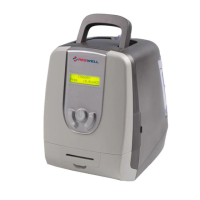
User Manual_ResWell_CPAP
8
Connect/disconnect the AC power
Connect the flexible tubing(coaxial 22 mm)
Display device setting parameter and work process information
The air filter screens out normal household dust and pollens. The
filter cap is designed to reduce the noise from the equipment
Turn on/off the device and change device settings
This note indicates itself is a medical equipment. It may help if
you also take this manual with you when you travel
Storing water of humidifier
5.1 Open the pack
After unpacking the device, please conform the following items:
CAUTION:
If any of the above parts are missing or damaged, please contact your home care
provider.
5.2 Install the Air Filter and Filter Cap
CAUTIONS:
The air filter must be in place at all times when the equipment is running. It is
recommended to use TWO filters alternatively.
Place the air filter into the filter area in the front of the equipment.
Attach the filter cap.



 To Next Page