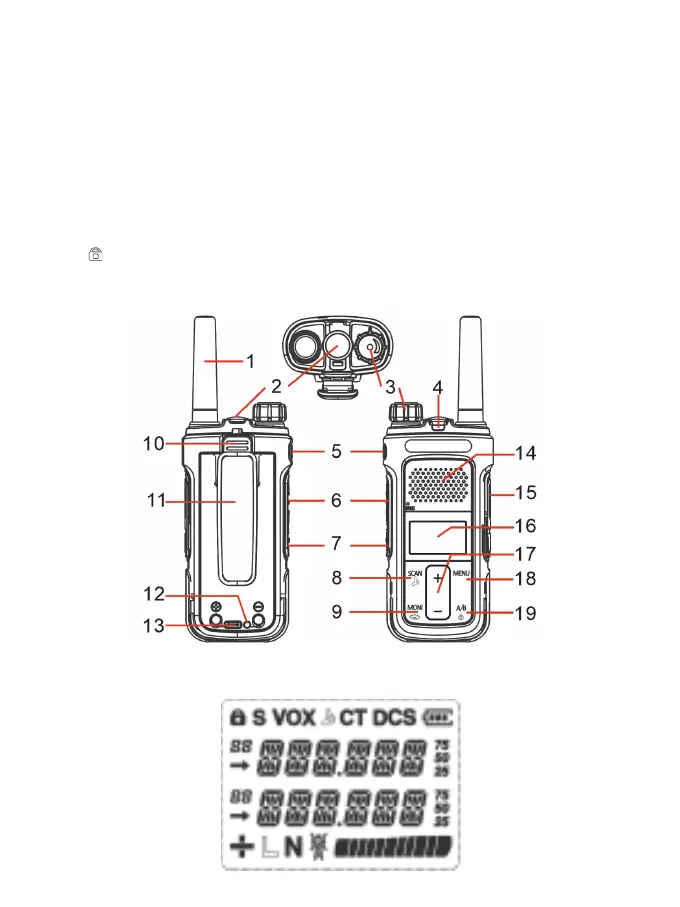
10. Battery release latch
11. Belt clip
12. Charging indicator: The red light is always on during charging, and the green light is always
on when charging is full.
13. Micro-USB Charging Port: DC5V USB input
14 Speaker
15. External Speaker/Microphone Jack: allows the connection with external devices such as
headsets, microphones.
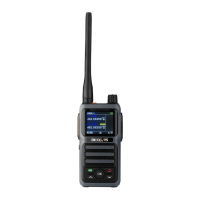
16. LCD Display
17. +/- keys: push to select functions or Menu. Channel mode, press + to switch up the channel;
press - to switch channel down.
18. Menu: press to enter the Menu functions and to confirm your selections.
19.[A/B ] In standby mode, press this key to switch between main/sub channels between A/B
channels. Press and hold this key to lock or unlock the keyboard. Menu mode, Press the key to
exit the menu; Press to enter SCAN mode. Press and hold to turn KEY LOCK on/off.
4.2 LCD Display
4



 To Next Page