12/20/2016 16 Retsch GmbH
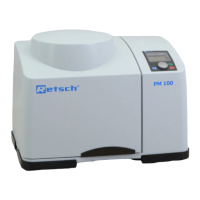
Display and operating unit
Memory , operating mode and
stand-by
The various operating modes, such as on,
programme and stand-by are displayed here.
Calls the stored programmes
Stores the set milling parameters
The frequency can be set continuously from 3 to
30 Hz here.
In the on mode and in the operating mode:
Reduction of the set frequency by 0.1
oscillaltions. Continuous pressing switches
on the digits fast running.
In the setting mode and operating mode:
Increase of the set freuqency by 0.1
oscillations. Continuous pressing switches
on the digits fast running.
Shows the set milling time or, during operation,
the milling time still remaining.
Setting range: 10 seconds to 99 minutes.
In the on mode and operating mode:
Reduction of the set milling time by one
second. Continuous pressing switches on
the digits fast running.
In the on mode and operating mode:
Increase of the set milling time by one
second. Continuous pressing switches on
the digits fast running.
Starts the milling operation
Indicates milling operation
Stop – button
Red LED and ON
Interrupts or ends the milling operation,
Puts the machine into stand-by mode


 To Next Page