08.02.2012 Retsch GmbH 18 0002
Operation via the display unit of the PP40
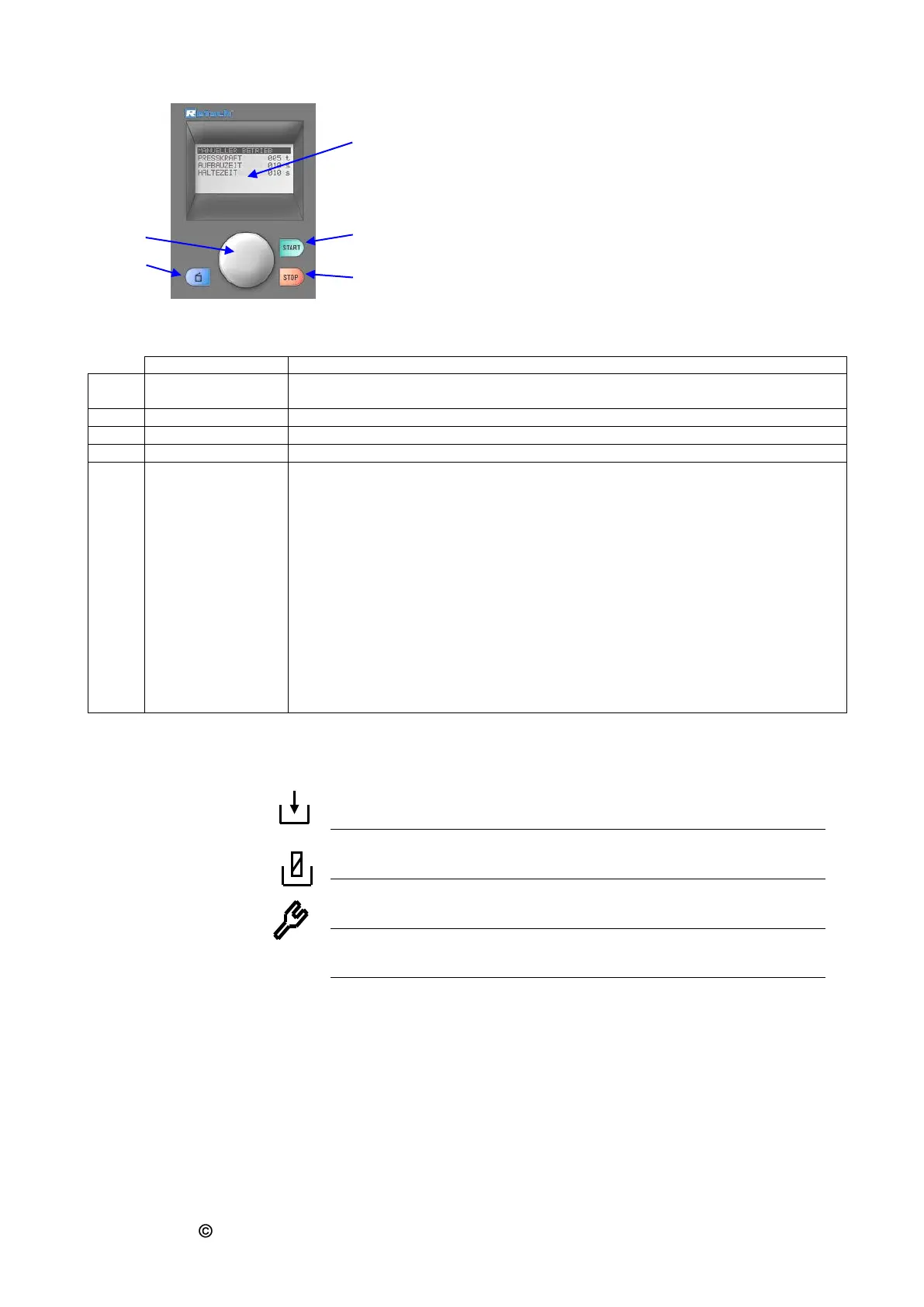
The pellet press has a new, very comfortable operator control
system. All relevant data can be entered or called via a
graphic display with one knob operation.
The menu system is multilingual.
(Fig. 10 Control panel)
Displays the menu, parameter settings, operating instructions and fault
signalling.
Starts the pressing process
Stops the pressing process
Opens the pressing chamber hood
By turning and pressing, all menu points can be selected and parameters set.
Turning 1
By turning, the various menu points can be selected. Selected menu points
are displayed inversely.
Turning 2
Setting of parameters in the opened menu points (see Pressing 1)
Pressing 1
Selected menu points are opened
Pressing 2
Short pressing confirms setting of parameters
Pressing 3
Continuous pressing: jump back to the 1st menu level
Symbols in the display unit
Programme mode – Take over parameters
Programme mode – Delete programme
Hydraulic oil or frequency converter too hot



 To Next Page