21
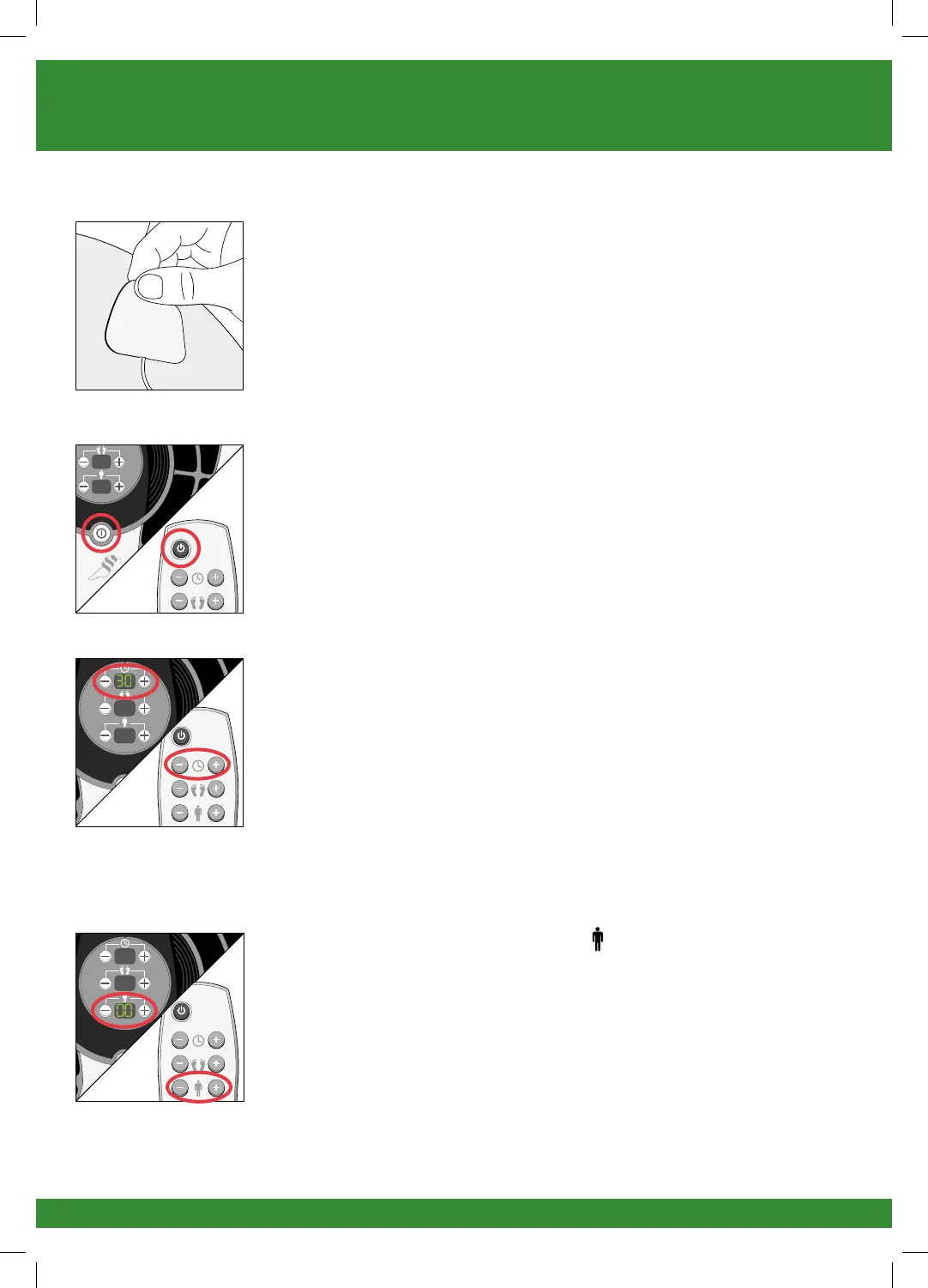
g Press the body pads on the area(s) you wish to apply
electrical stimulation, as shown on page 18, gently
pressing the adhesive side against the skin.
h Press the power button on REVITIVE or the remote
control to turn REVITIVE on.
You will hear a beep and the control panel settings
To switch off the REVITIVE unit at any time during
operation, simply press the power ON/OFF button.
i Set the time for the number of minutes you want to
use REVITIVE.
You can use the buttons on the control panel or
remote control.
Press the (+) button to increase the time.
Press the (–) button to decrease the time.
The default time is 30 minutes. You can set the timer
for up to 60 minutes.
j Press the body pad intensity (+) button one time to
start stimulation.
You can set the intensity between 1-99.
Turn page to continue
1718_IFU01_7244012.indd 21 27/03/2015 10:04


 To Next Page