21
Remote Program
REVO Remote
REVO Remote allows you to access a remote DVR, monitor live video images and search recorded video using
Internet Explorer web browser anytime from virtually anywhere.
Start Internet Explorer on your local PC. You can run the REVO Remote program by entering the following
information in the address field.
– “http://IP address:port number” (The DVR IP address and the REVO Remote port number (default: 12088)
set in the Network setup screen (REVO Remote tab))
– Or, “http://www.revodvr.com/DVR name” (The DVR name registered on the DVRNS server)
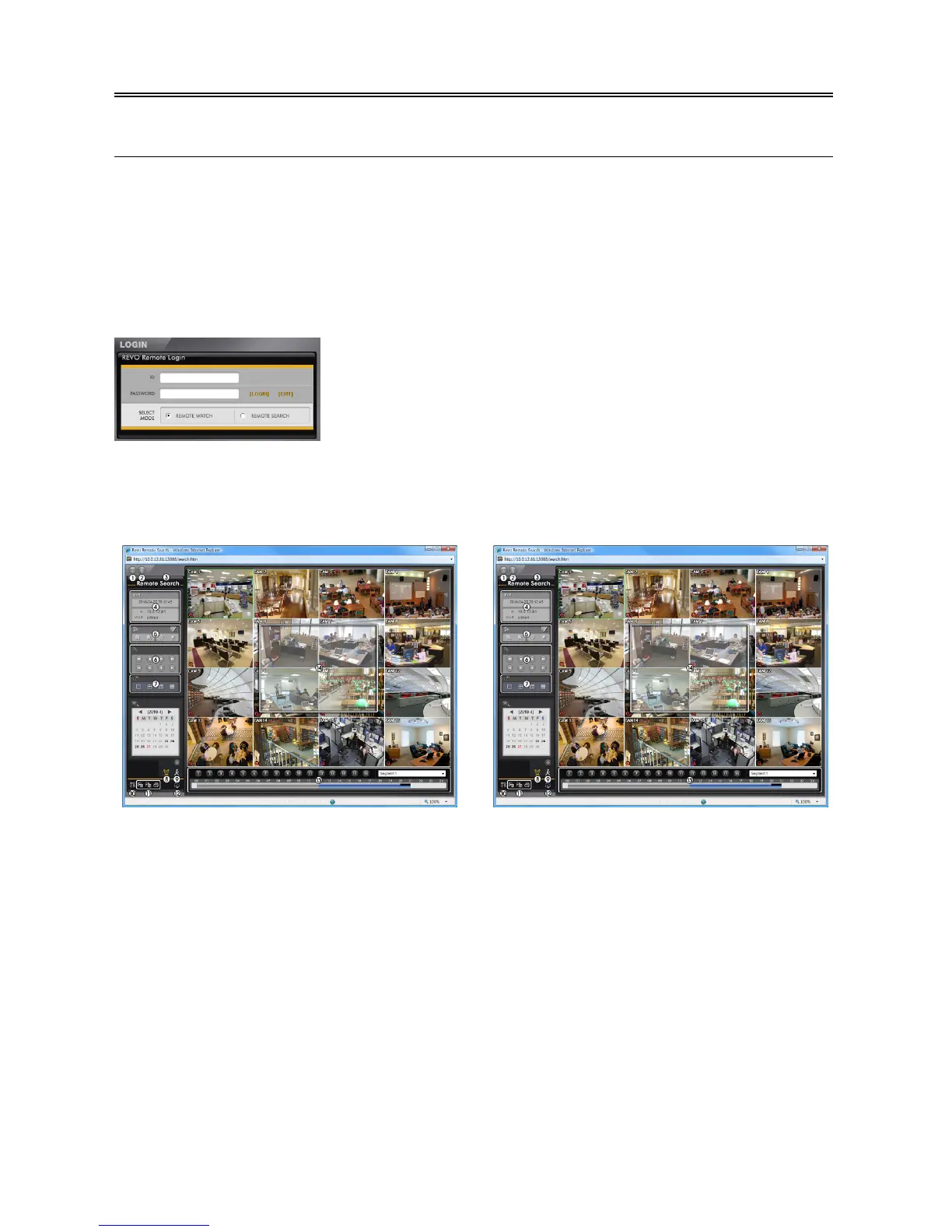
Select between the REMOTE WATCH (Web monitoring) and REMOTE
SEARCH (Web search) modes. Entering ID and PASSWORD and clicking
the [LOGIN] button logs in using the selected mode.
You will need to enter the DVR IP address in the DVR ADDRESS field when
running the REVO Remote program by entering http://www.revodvr.com.
Selecting the Use DVRNS option allows you to enter the DVR name registered
on the DVRNS server instead of the IP address. You must enter the DVRNS
server address and port number in the SETUP setting when selecting the Use
DVRNS option.
Web Monitoring
Web Search
NOTE: For detailed instructions on operating the REVO Remote program, refer to the User’s Manual on
the software CD.


 To Next Page