
 Need help?
Do you have a question about the REWIRE SECURITY Rx-3 and is the answer not in the manual?
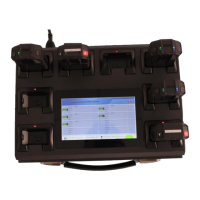
Visual overview of the docking station's external components and design.
Lists all items included in the docking station package.
Step-by-step guide for installing the docking station.
Instructions for powering the device on, off, and performing a reset.
General description of the system and its key functionalities.
Detailed specifications of hardware and software components.
Information on system performance metrics and software capabilities.
Guide on using the touch screen, including gestures and safety precautions.
Steps for establishing a remote desktop connection to the docking station.
Procedure for setting a static IP address for network configuration.
Instructions on how to power on the docking station.
Steps for connecting body worn cameras and initiating data upload.
Instructions for logging into the management system.
How to review files and manage user permissions.
Setting up divisions and managing personnel within the system.
Monitoring station status, generating reports, and viewing system logs.
Configuring security, system options, and cloud storage integration.
Customizing docking station settings and defining data upload policies.
Solutions for common touch screen and network connectivity problems.
Addressing system boot failures and managing storage disk issues.
 General
| Brand | REWIRE SECURITY |
|---|---|
| Model | Rx-3 |
| Category | Docking Station |
| Language | English |

 To Next Page