12
11) Download files:You can download the files from the docking station using the web system, and
save the downloaded file to any storage of your choice.
12) Automatic management docking station disk space:The docking station can automatically
delete the expired files for making room for the next upload operation.
13) Cloud storage:The docking station is embedded with the Microsoft Azure cloud services, you
can upload the important files to the Microsoft Azure cloud,However, user needs to open a
Microsoft's cloud services account.
14) Remote manage docking station:You can manage the docking station remotely by web system.
3、Basic Features
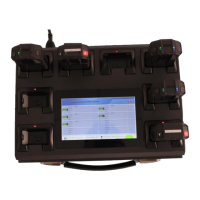
Using the touch screen
Only use the touch screen by pressing your finger!
Do not allow the touch screen contact with other electronic devices. Electrostatic
discharges can cause the touch screen to malfunction.
Do not allow the touch screen to contact water. The touch screen may malfunction in
humid conditions or when exposed to water.
To avoid damage to the touch screen, do not use any sharp objects on the touch screen.
Avoid pressing your finger heavily on the screen.
Touch screen gesture
While using the touch screen, interact with the software just like any other touch-screen enabled
device such as a smartphone. Press on the icons with your finger to navigate the menus.


 To Next Page