6. FEVER ALARM
If the thermometer detects a body temperature greater than 37.4°C/99.4°F, it
will make 10 short beeping sounds and the LCD will light up RED, indicating a
potential fever.
7. CHANGING BETWEEN CELSIUS AND FAHRENHEIT
This thermometer can display temperature measurements in either Celsius or
Fahrenheit. To switch the display between °C and °F, simply turn OFF the unit,
press and hold the START button for 5 seconds; after 5 seconds, the current
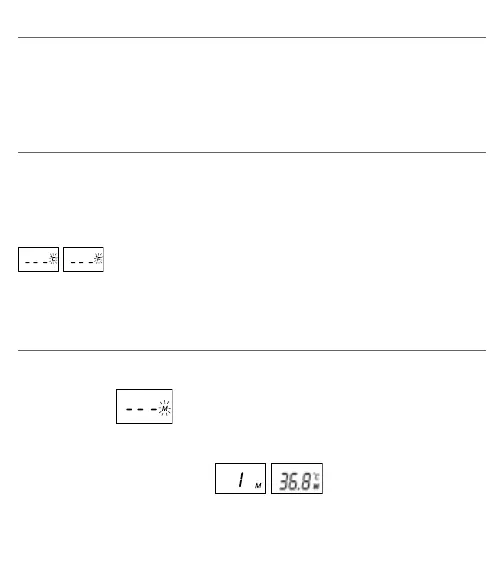
measurement scale (°C or °F icon) will flash on the display
. Change the measurement scale between °C and °F by pressing
the START button. When the measurement scale has been chosen, wait for 5
seconds and the unit will automatically enter the ready for measuring mode.
8. MEMORY STORAGE
This thermometer recalls the last 12 readings.
• Recall mode
:
Press the START button to enter Recall mode when the power is off. The
memory icon << M >> will flash.
• Reading 1 - the last reading :
Press and release the START button to recall the last reading. Display 1 alone
with memory icon.


 To Next Page