22
21
Videos and Photos Review/Playback
Videos Photos Audios
REXING P2 DEVICE — Video Review
Computer Playback
Reset & Restart
Notes on the Indicators
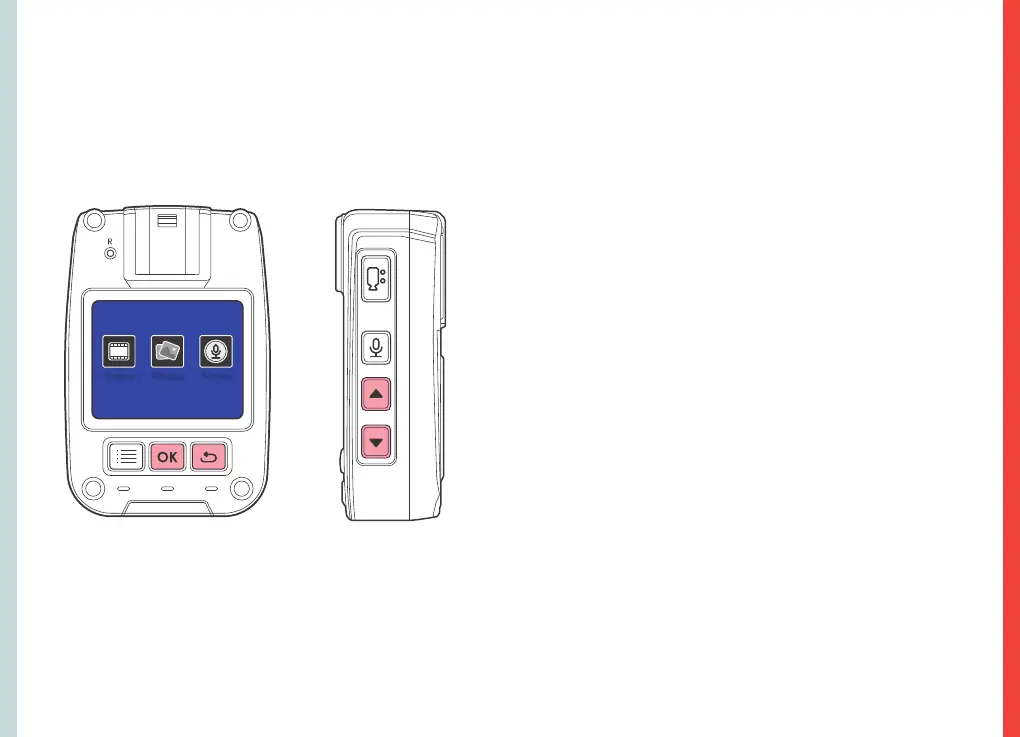
Press the OK key to check the playback list. Use the UP or
DOWN key to select a file to play.
During playback, press the OK key to pause or play. Press the
RETURN key to return to the previous menu.
1. In the power-on state, the power indicator is not shown
in the preview screen.
2. In the power-on state, the working indicator light turns red
and flashes slowly under camera shooting mode.
3. In the power-on state, the working indicator light turns
orange and flashes slowly under recording mode.
4. When the data cable is connected, the working
indicator light turns green and the power indicator light
turns blue.
5. In the charging state, the power indicator light turns blue
and it extinguishes after charging.
6. In the power-on state, the power indicator light flashes
during each shot.
When the device system crashes or gives no response due to
improper operation or other special reasons, you may press
the RESET key (be careful to apply light pressure) with a pen
tip, toothpick, or other similar article. The device switches off
after the reset key is pressed. Now, you can restart the device.
Previous settings will be resumed after the restart.
When the device is connected with a computer via the
Mini-USB cable, the computer will recognize the device as a
USB Drive where you can find videos and photos are saved
under two separate folders. Open the folder, and you’d be
able to review the video/photo from the list.
In the standby mode, Press the RETURN key to check the
playback list. Use the UP or DOWN key to select a desired
item as shown below:



 To Next Page