1211
Power on
5.Basic Operation
Power off
Standby
ON/OFF
OK
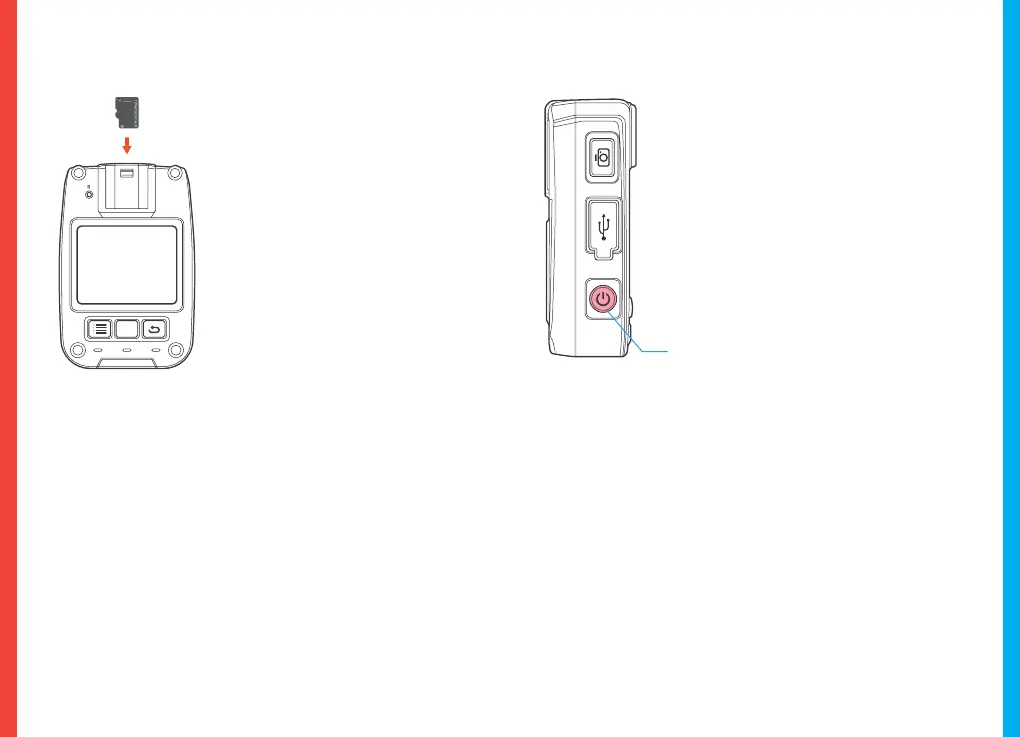
Insert the Memory Card
Power on the Camera and Format the
Memory Card
The Rexing P2 accepts Class 10/
UHS-1 or higher Micro SD memory
cards up to 128GB. You will need to
insert a memory card before
recording. Before inserting or
removing a memory card, ensure
you've powered down the device.
Gently push the memory card in
until you hear a click, and allow the
spring release to push the card out.
With the camera is in its power-off state,
press the ON/OFF key to start the
device.The device displays a preview
screen after starting. The working indicator
light turns green. If no operation is
performed within 30 seconds after starting,
the device enters screen saver mode as its
default. The device automatically enters
screen saver mode 30 seconds after it starts
to shoot.
With the camera in its power-on state, depress the ON/OFF key
to power off the device. All indicator lights will extinguish. Press
the ON/OFF key to enter screen saver mode.
With the camera in its power-on state, if no operation is
performed within 30 seconds after starting, the device
automatically enters screen saver mode; in this mode, the
screen goes off and the working indicator light turns green.
Press any key to illuminate screen.
Charge your dash for approximately 1-2 hr prior to the on-board-
ing process .
To ensure the P2 records your memory card propertly and without
error. Before you start using a new memory card, you must format
the card within the camera using the format funtion. Alway
backup important data stored on the memory card before
formatting.
To format the memory card, Navigate to system settings and
select “Format SD card”. Make sure you have inserted your
memory card, then turn on the device by connecting to a power
source.



 To Next Page