1413
Menu Setup
OK
MENU
Up
Down
Settings
Video Resolution
Photo Resolution
IR Filter
Video Length
Sound Cue
R
OK
Video shoot resolution
Picture taking resolution
IR switching
Video-shooting duration
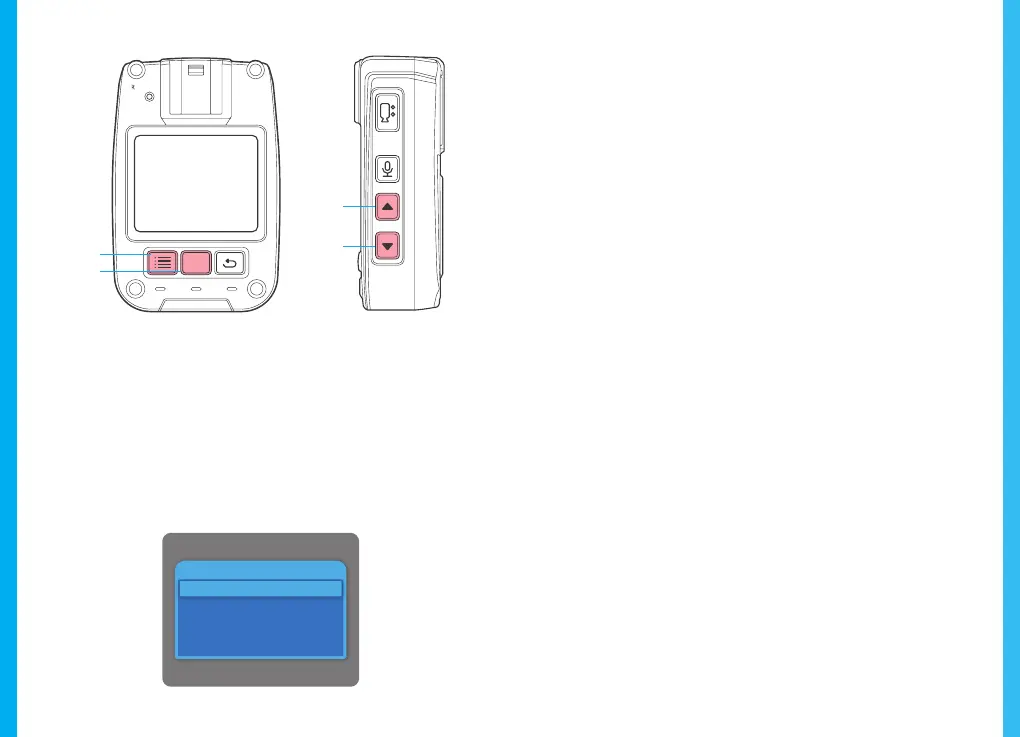
With the camera in its standby state, press the NEMU key to enter
the MENU setup interface. Press the UP or DOWN key to select the
desired function. Press the OK key to confirm your option. Use the
UP or DOWN key to change your option. Press the OK key again
to confirm your selection(s). The device automatically saves any
setup changes. Detailed system options are not described
hereinafter. The screen display is shown below:
Press the OK key to enter the to-be-altered function. Press the
UP or DOWN key to select a value from the following: 1080p/30,
720p/30, 480p/30. The system default is 720p/30.
Press the OK key to confirm your selection.
Press the OK key to enter the to-be-altered function. Press the
UP or DOWN key to select a value from the following: 1M, 2M,
4M, 26M, 34M.
Press the OK key to confirm your selection.
Press the OK key to enter the to-be-altered function. Press the
UP or DOWN key to select a value from the following: 3, 5, 10,
15, 20 or 30 minutes.
Press the OK key to confirm your selection.
Press the OK key to enter the to-be-altered function. Press the
UP or DOWN key to select between Auto and Manual. The
system default is Manual. Press the OK key to confirm your
selection.



 To Next Page