V1P 3rd Gen Manual
43
©2018 REXING All Rights Reserved
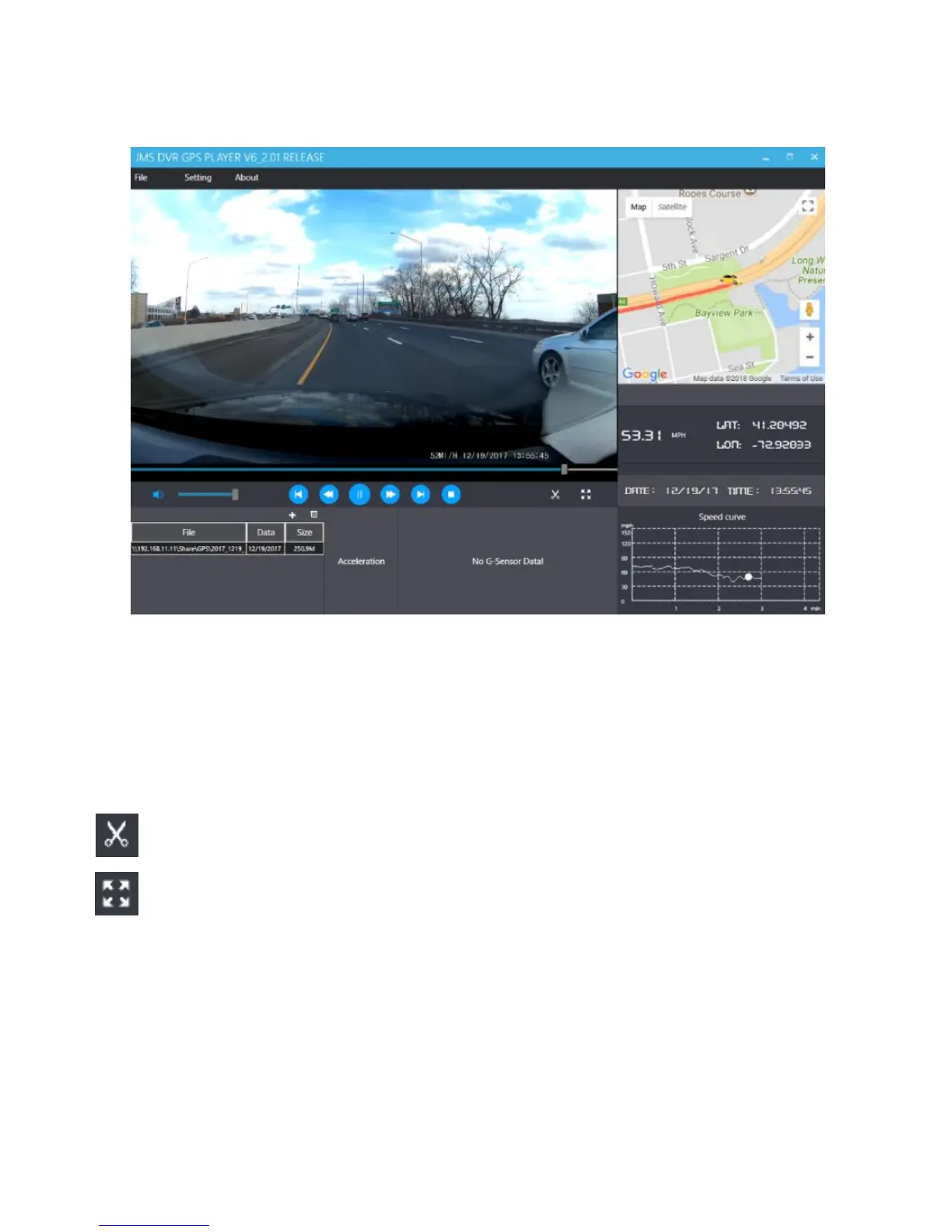
Playback
Beneath the video is a playback bar with a handle which you can drag to skip to
any time in the video. Beneath that, there’s a volume control slider, as well as
previous, rewind, pause/play, fast forward, next, and stop buttons.
Additional Controls
Snip: Save the current frame of video as an image (PNG).
Full Screen: View the video in full screen (double-click the video to exit).
Settings
In the settings menu, you may change your language from English to Chinese,
Japanese, or Vietnamese. You may also change your unit of speed
measurement from MPH to KM/H. Additionally, you have the option to change
the map application used from Google Maps to Baidu Maps.



 To Next Page