15
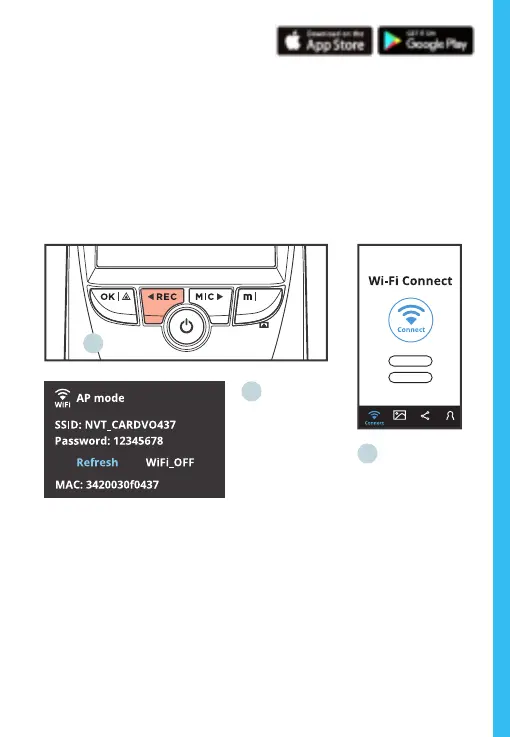
Wi-Fi Connect
Download “Rexing Connect” app from the App Store/Google
Play Store.
1. To access and exit the app, hold down REC.
2. Open Wi-Fi on your phone, nd “SSID” from the list, tap to
connect. (Default password: 12345678)
3. Open the Rexing Connect app, tap “Connect” to enter the
realtime video streaming page.
2.
3.
1.
4. Once connected, the dash cam screen will switch to the
camera view and will display “WiFi Connected” message.
Using the Rexing Connect app, you can view a live preview
of the dash cam screen, start / stop recording, as well as
view and save your captures with your mobile device.
For further instruction regarding the Wi-Fi Connect feature,
please visit www.rexingusa.com/wi-connect/.



 To Next Page