19
WDR
UHD P24+FHDP24
00:00:20
04 / 10 / 2021 17 : 25 : 45
AAAAAAAA
REC MIC
OK
WDR
UHD P24+FHDP24
00:00:20
04 / 10 / 2021 17 : 25 : 45
AAAAAAAA
REC MIC
OK
Built-in GPS Logger
GPS logger will record the speed and location of your vehicle as you drive.
You can then access this information while playing back your recordings
using the GPS Video player.
Press the MENU button twice and enter the Setup Settings. Toggle to the GPS
Speed Unit and select your preferred speed unit.
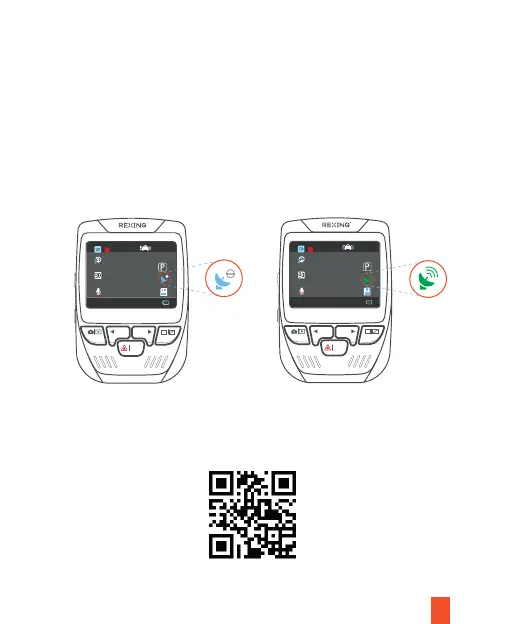
After a GPS signal is found, the screen icon will turn from blue to green.
Please visit https://www.rexingusa.com/support/videos/ to watch a video
tutorial.
Download GPS Video player
Please download GPS logger player through the link OR Scan the QR Code
below.



 To Next Page