Taking and Reviewing Photos
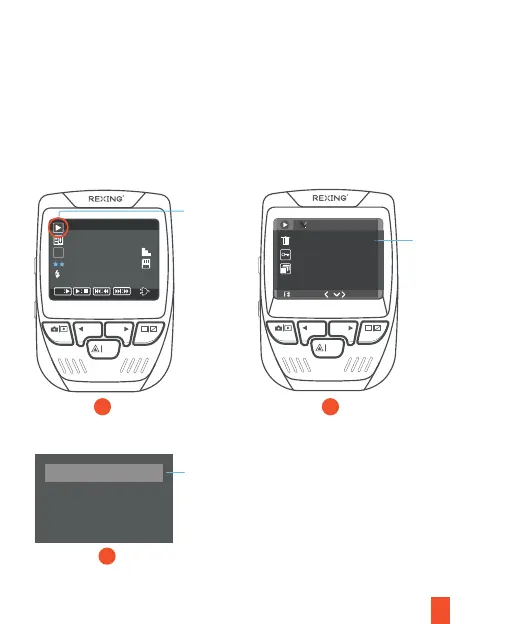
To take a photo, press REC button to stop recording. Press the MODE button twice to
enter photo mode. Then press the OK button to take a photo.
To view/delete a photo, stop video recording and enter the Playback Mode. Toggle
through the videos and photos to the one you want to view/delete. Press the MENU
button once and toggle to the Delete option. Press the OK Button and select Delete
Current or Delete All.
18
Toggle to
the
Playback
mode and
select a
photo to
view
REC MIC
OK
Toggle to
the
Playback
mode and
select a
photo to
view/delete
Delete All
Delete Current
Choose a
desired
option
21
3
10/06/21
16:42
REC MIC
OK
OK
20211006172810_000006A
2592x1944
AWB
A
Playback
1/1
Delete
Slide Show
Protect



 To Next Page