If you observe any damage, bulging, or wire exposure on the charger or charging cable,
DO NOT USE them and contact customer support.
Ensure that your hands are completely DRY.
To charge the product:
1)
2)
First ensure the product is powered OFF. (If controller lights are on, press the power
button on the controller to turn the product off.)
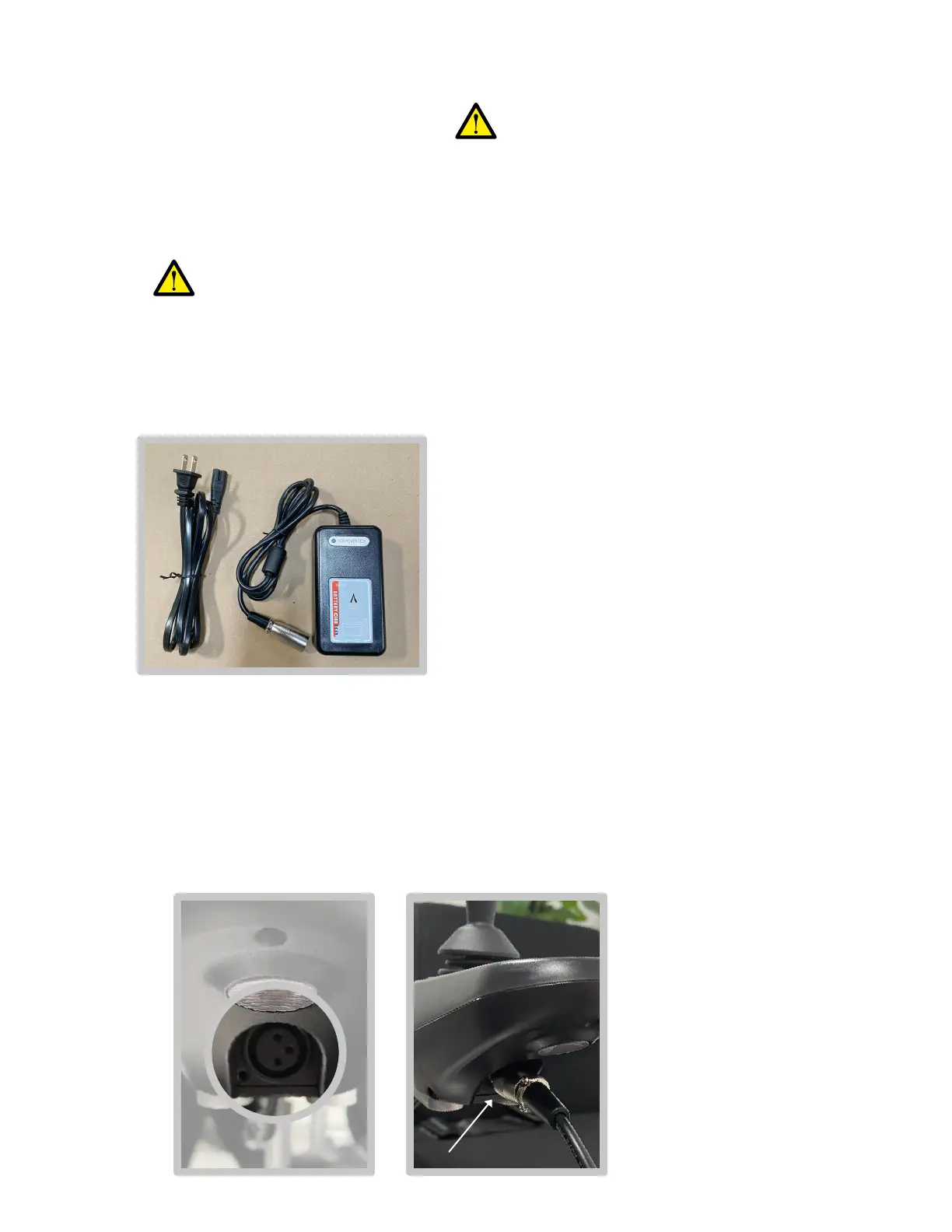
Locate the charger and charging cable.
a)
b)
Connect the charging cable to the charger.
Locate either of two charging port options:
c)
d)
Wet hands may cause an electrical shock or re hazard.
Charging port option #1:i
Choose this option if you are able to charge next to your Roamer.•
Plug the metal end of the charger into the charging port beneath
the controller.
•
Charging Instructions
17


 To Next Page