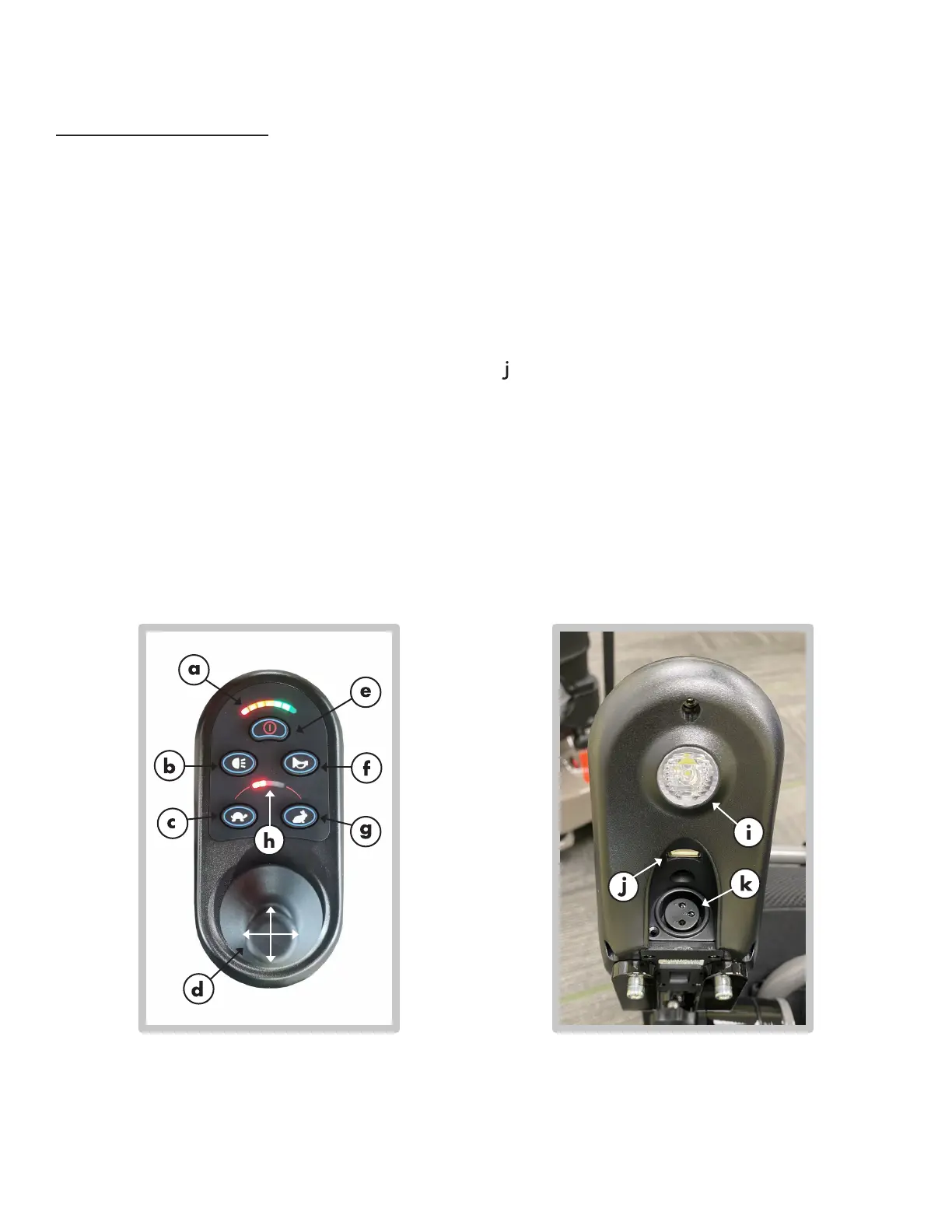
How to use the controller
a)
b)
c)
Battery level indicator
(Green lights: 70 - 100%)
(Yellow lights: 30 - 70%)
(Red light: 0 - 30%)
Headlight button (Headlight located
beaneath controller)
Speed decrease button
(speed decreases incrementally with
each press)
d)
e)
f)
g)
h)
i)
)
k)
Joystick
Power on/off button
Horn alert button
Speed increase button (speed increases
incrementally with each press)
Speed level indicator
Headlight
USB port
Charging port
forwardforward
reversereverse
rightrightleftleft
How to Operate Your Roamer (Cont.)
32


 To Next Page