How to use the dual rear levers (cont.)
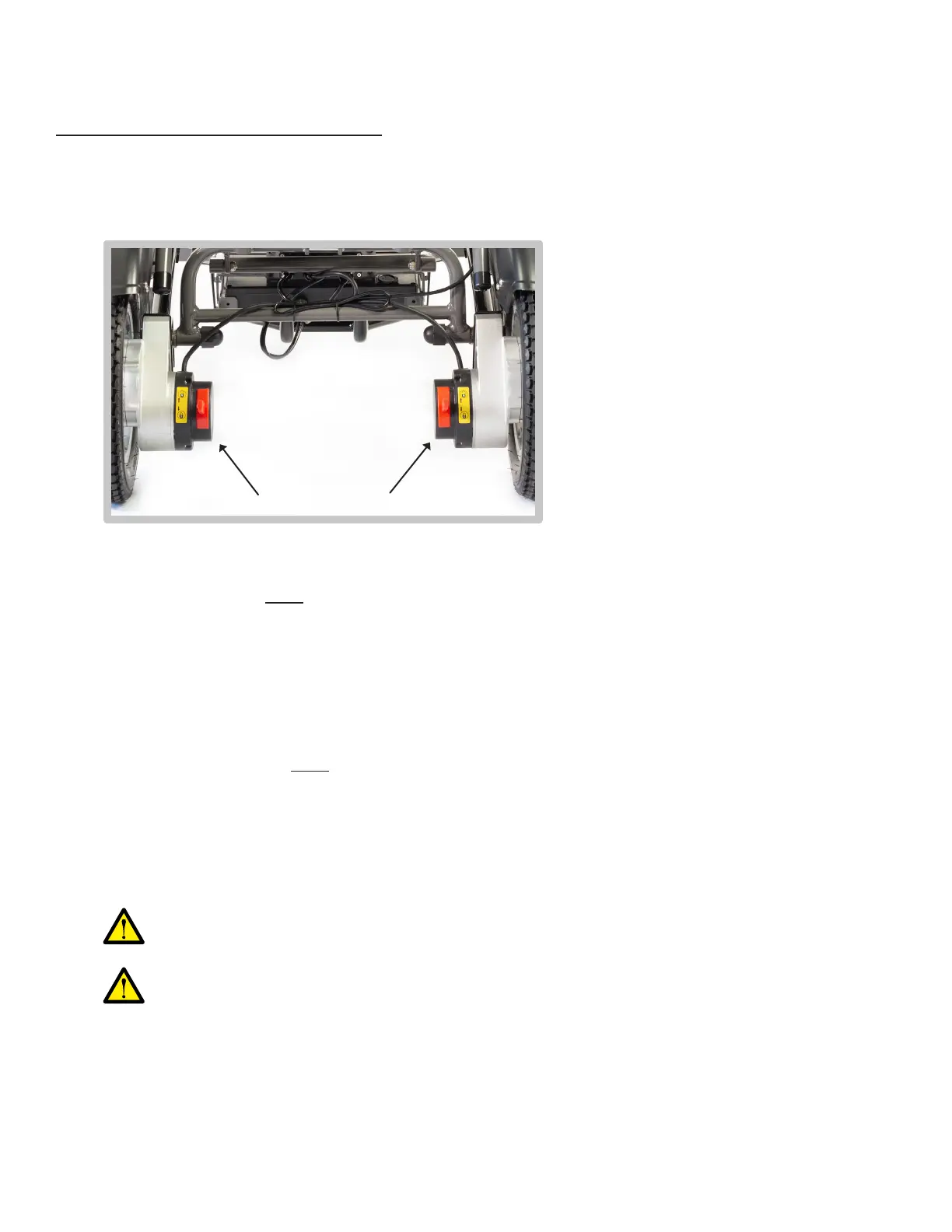
Location of the dual rear levers
D = Drive mode
N = Neutral (freewheel) mode
1)
2)
3)
Ensure that the dual rear levers are in NEUTRAL mode before the Roamer is folded
and transported.
While the dual rear levers are in neutral mode, be aware that the Roamer does
NOT automatically brake, so it must be operated at the highest level of caution.
The dual rear levers are red, and attached to the enclosed motors on the rear wheels.•
Drive mode ensures that the Roamer will be able to automatically brake whenever the
user releases the joystick on the controller.
•
Press down on both dual rear levers to engage Drive mode.•
Drive mode must be used whenever the user is seated in the Roamer and operating it
using the controller.
•
Neutral mode ensures that the Roamer’s wheels will be able to spin freely without the
use of the motors or controller.
•
Press upwards on both dual rear levers to engage Neutral mode.•
Neutral mode must be used whenever the Roamer is being manually pushed using the
push handle.
•
How to Operate Your Roamer (Cont.)
31


 To Next Page