Charge the battery pack to 100% PRIOR to rst use of the product.
Charge the battery pack immediately after each use of the product.
How to determine charging progress:
3)
4)
5)
Each full battery charging cycle (from 0% to 100%) will take aproximately
6 – 8 hours.
While the battery pack is charging, the orange charger light will remain on.
a)
b)
When the battery pack is fully charged (100%), the green charger light
will turn on.
c)
Then plug the two-pronged end of the charging cable into an appropriate &
functional electrical wall outlet.
e)
To prevent re risk and suboptimal charging, DO NOT plug the charging
cable into an extension cord or any other indirect power sources.
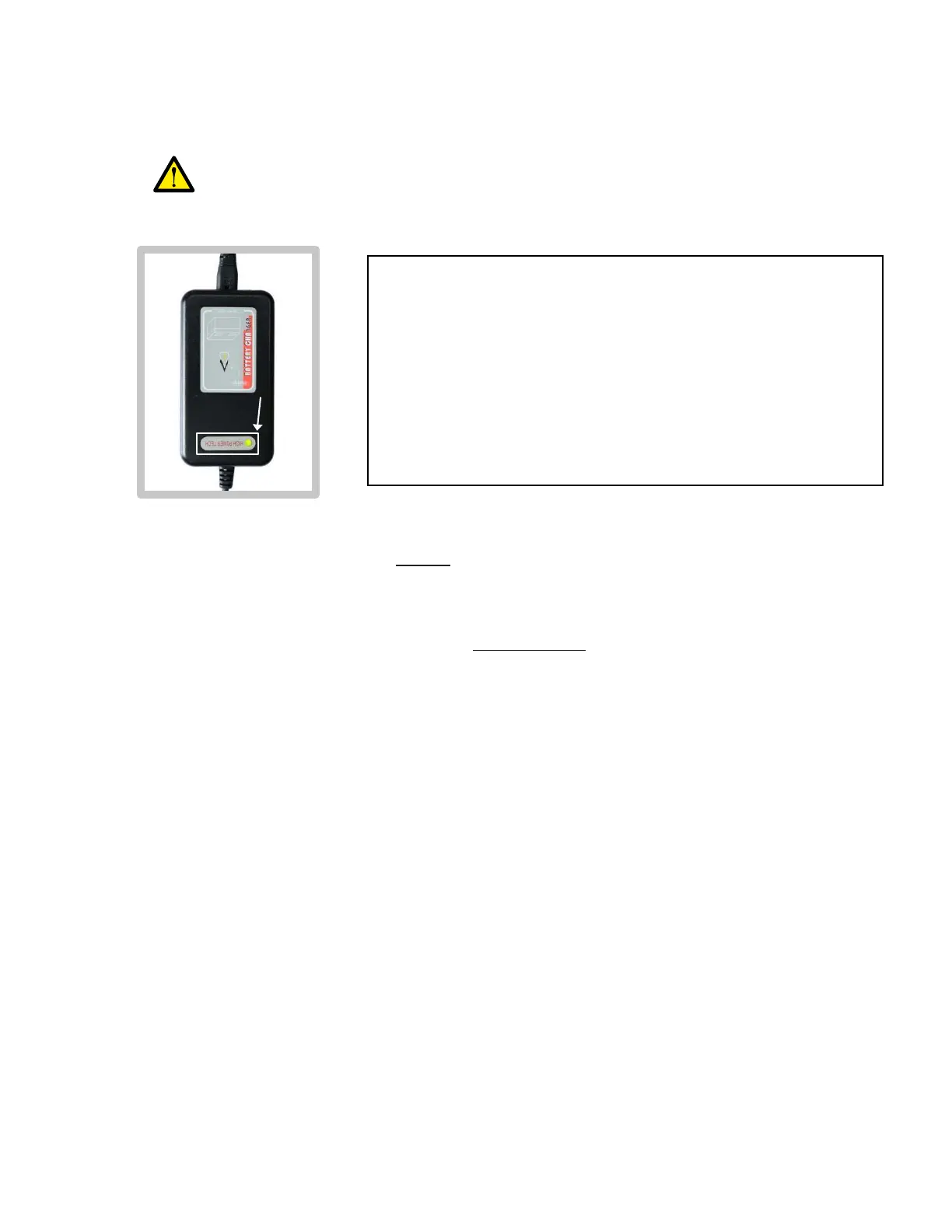
The LED light should turn on after the charger is
plugged into the electrical wall outlet.
(If not, check that the two-pronged end of the charging
cable is fully inserted into the wall outlet. Also check
that the wall outlet is functioning properly.)
ORANGE light = Charging is in progress
GREEN light = Charging is complete (battery at 100%)
Please leave it charging for about 12 hours (even when the charger light
turns green prior), to ensure optimal battery performance going forward.
All future charging cycles will take up to 8 hours each, until the battery
has reached end of life (approximately after 500 charging cycles,
depending on frequency of use, speed levels, environmental conditions,
proper charging maintenance, etc).
a)
b)
Whenever the battery pack is NOT being charged:
To prevent battery degradation:
6)
7)
Charge the battery pack to at least 30% before storing away the product.
Charge every 30 days if product is not being regularly used.
a)
b)
Ensure the charger is safely placed out of reach from children, pets, and
persons with limited physical and/or mental faculties.
c)
Ensure the charger is fully unplugged from the electrical wall outlet.
Ensure the charger is fully disconnected from the charging port.
a)
b)
Check the charging progress by observing the LED light on the charger.f)
Charging Instructions (cont.)
19


 To Next Page