EasyManua.ls Logo

Rheem *HC-TST412MDMS Series - User Manual

Rheem *HC-TST412MDMS Series
14 pages
Print Icon
To Next Page IconTo Next Page
Loading...
Quick Set-up Thermostat Guide
Touchscreen Programmable
Thermostats
*HC-TST305UNMS • *HC-TST314UNMS • *HC-TST412MDMS • *HC-TST422DFMS
*HC-TST501CMMS (programming section only)
for MODELS:
Question and Answer IconNeed help?

Do you have a question about the Rheem *HC-TST412MDMS Series and is the answer not in the manual?

Summary

System;Remote Sensor Configuration

Remote Sensor Settings

Configures remote sensor enabling, location (indoor/outdoor), and local sensor status.

Dual Fuel Feature Options

Explains selections for Dual Fuel using software logic or outdoor remote sensors.

Dual Fuel Configuration

Dual Fuel Using Software Logic

Setup guide for dual fuel systems utilizing software logic without an outdoor sensor.

Dual Fuel Using Outdoor Remote Sensor

Instructions for configuring dual fuel with an outdoor remote sensor.

Dual Fuel (dF) OFF Setting

Details the procedure for setting the Dual Fuel feature to OFF.

Programming Your Thermostat

Setting Program Times and Temperatures

Adjusts temperatures and start times for individual heating periods.

Copying Programs Between Days

Instructions on how to copy programmed schedules from one day to another.

Set Current Time and Day

Operating

Choose the System Setting

Guide to selecting system modes like Cool, Off, Heat, Em, and Auto.

Energy Saving Factory Pre-Program

Details the default energy-saving heating and cooling schedules for all days.

Overview

This manual describes a series of touchscreen programmable thermostats designed for residential heating and cooling systems. These thermostats offer advanced control and energy-saving features, making them suitable for various HVAC configurations, including conventional systems, heat pumps, and dual fuel setups.

Function Description:

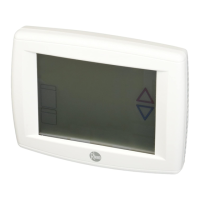
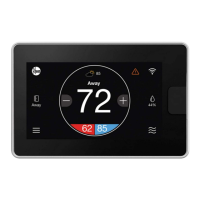
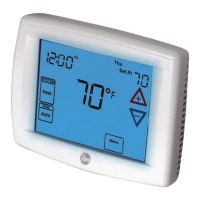
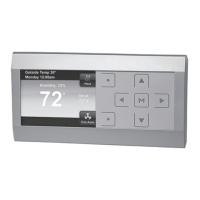
The primary function of these thermostats is to regulate indoor temperature by controlling heating and cooling equipment. As programmable thermostats, they allow users to set schedules for different times of the day and days of the week, optimizing comfort and energy consumption. The touchscreen interface provides an intuitive way to interact with the device, displaying current temperature, setpoint, system status, humidity, and other relevant information.

Important Technical Specifications:

The manual covers several models, including:

  • HC-TST305UNMS
  • HC-TST314UNMS
  • HC-TST412MDMS
  • HC-TST422DFMS
  • HC-TST501CMMS (programming section only)

While specific electrical ratings are not detailed in the provided pages, the features indicate compatibility with multi-stage systems (MS2), gas furnaces (GAS), and electric furnaces (ELE). The dual fuel configuration supports both software logic (without an outdoor sensor) and outdoor remote sensor integration. The temperature setpoint range and increments are typically in 1-degree Fahrenheit steps, with time adjustments in 15-minute increments for programming. The compressor shutdown delay (Cd) is configurable, with a default of 60 seconds, to protect the compressor during auxiliary heat operation. The blower balance point (bP) feature, when enabled, de-energizes the DHM terminal to operate the blower at a slower speed for first-stage heat when the outdoor temperature is below a selected setpoint (default 80°F).

Usage Features:

  • Touchscreen Interface: All operations are performed via a clear, easy-to-use touchscreen display.
  • System Mode Selection: Users can select between "Cool," "Off," "Heat," "Em" (Emergency Heat), and "Auto" modes. "Auto" mode allows the thermostat to automatically switch between heating and cooling based on indoor temperature and setpoints, preventing conflicting settings.
  • Programmability: The thermostats are programmable, allowing users to create custom schedules for different periods (e.g., Wake Up, Leave For Work, Return Home, Go To Bed) across various days. The manual highlights a 7-day programming mode and a 5/1/1 day programming mode (weekday, Saturday, Sunday).
  • Copy Program Function: A convenient "Copy" feature allows users to duplicate a program from one day to other days or groups of days, simplifying schedule setup.
  • Remote Sensor Configuration: The thermostats support both indoor and outdoor remote sensors. When an outdoor remote sensor is enabled, it facilitates advanced features like dual fuel operation based on outdoor temperature.
  • Dual Fuel Configuration: For heat pump systems with auxiliary gas furnaces, the dual fuel feature optimizes energy use by switching to gas heat when the outdoor temperature falls below a user-defined setpoint (e.g., 35°F). This can be configured with or without an outdoor sensor, using software logic in the latter case.
  • Auxiliary Off (AO) Feature: This setting prevents auxiliary heat from turning on if the outdoor temperature is above a selected threshold (default 80°F), saving energy.
  • Current Time and Day Setting: Users can easily set the current time (hour, AM/PM, minutes) and day of the week through the touchscreen menu.
  • Factory Pre-Programmed Schedule: The thermostats come with an energy-saving factory pre-program for all days of the week, providing a convenient starting point for users who prefer not to create a custom schedule immediately. This schedule includes typical setpoints for different periods (e.g., 70°F heating/75°F cooling for "Wake Up," 62°F heating/83°F cooling for "Leave For Work").

Maintenance Features:

  • Change Filter Reminder: The display includes an indicator for "Change Filter," reminding users when it's time to replace their HVAC system's air filter.
  • UV Lamp Reminder: A "UV Lamp" indicator suggests when maintenance or replacement of a UV lamp (if installed in the HVAC system) might be needed.
  • Clean Display Function: A "Clean Display" button is available, likely to temporarily disable the touchscreen for cleaning without accidentally changing settings.
  • Call For Service Indicator: The thermostat can display a "Call For Service" message, indicating a potential issue with the HVAC system that requires professional attention.
  • Keypad Lockout: A "Keypad Lockout" feature is mentioned, which can prevent unauthorized changes to settings, useful in public or multi-user environments.

Rheem *HC-TST412MDMS Series Specifications

General IconGeneral
BrandRheem
Model*HC-TST412MDMS Series
CategoryThermostat
LanguageEnglish

Related product manuals