EasyManua.ls Logo

RIAN NDS3542A - Input 1 Configuration

Default Icon
38 pages
Print Icon
To Next Page IconTo Next Page
To Previous Page IconTo Previous Page
Loading...
4.2 Operation
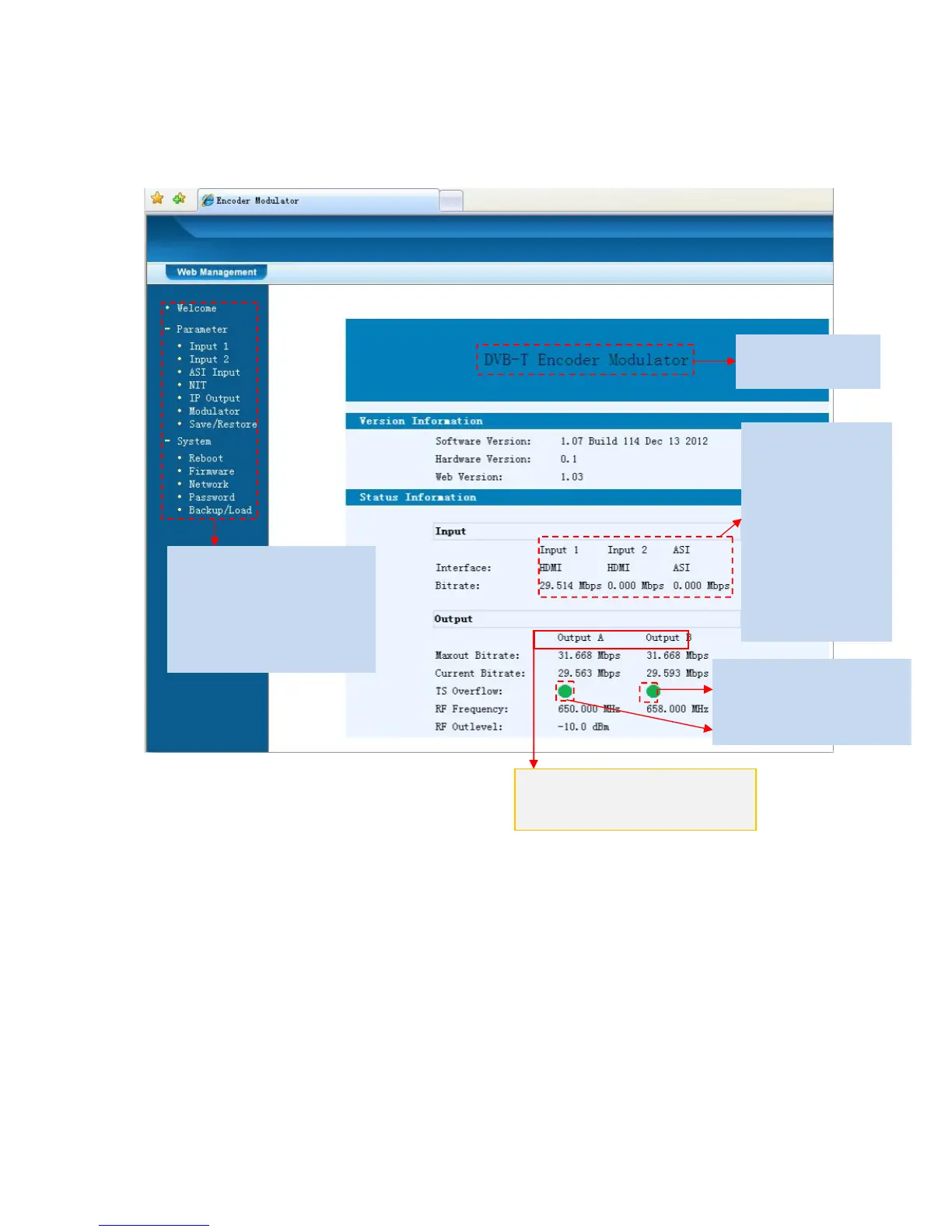
When we confirm the login, it displays the WELCOME interface as Figure-2.
Figure-2
Input 1
From the menu on left side of the webpage, clicking “Input 1”, it displays the
information of the program from the 1
st
HDMI encoding module as Figure-3.
Device standard
User can click any item
here to enter the
corresponding interface
to check information or
set the parameters.
TS indicators—Green light
indicates the TS is normal,
which otherwise turns to red.
A & “B” respectively represent
carrier A and carrier B.
It automatically
identifies and
displays the
signal source
interface and
real-time
encoding bit rate
of corresponding
input channel.