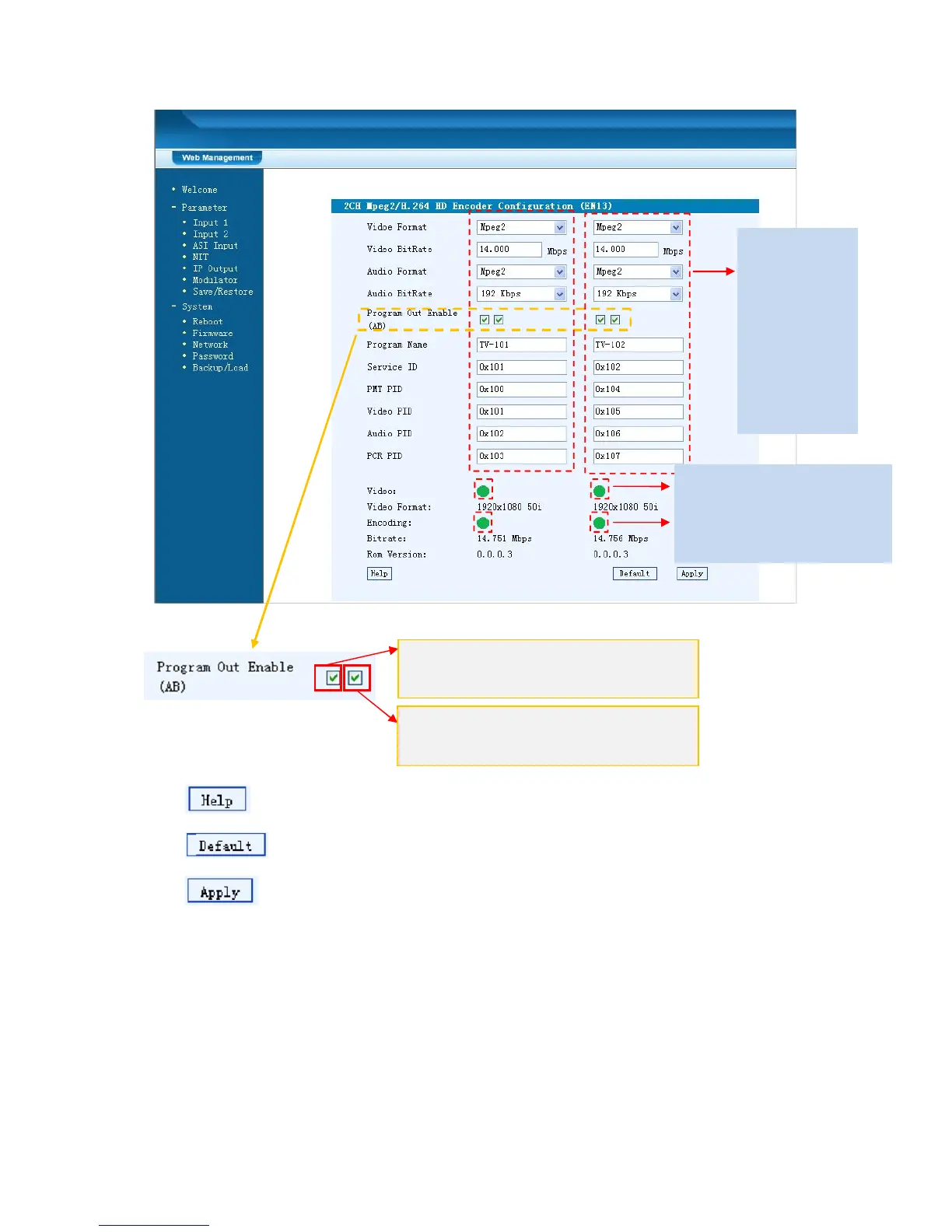
Figure-3
For user to turn to refer detailed explanation of terms on this interface
Click this button to apply the default setting of Input 1
Click this button to apply the modified parameters.
Input 2
Similarly, from the menu on left side of the webpage, clicking “Input 2”, it displays
the information of the program from the 2
ed
HDMI encoding module.
ASI Input
Click “ASI Input”, it will display ASI input program information as Figure-4.
General
Settings for
the HDMI IN
program:
User can edit
any item
listed as
needed.
Carrier B: Click this box to enable or disable
the program output through Carrier B.
Carrier A: Click this box to enable or disable
the program output through Carrier A.
Encoding Status—Green
light indicate it works
normally, which otherwise



 To Next Page