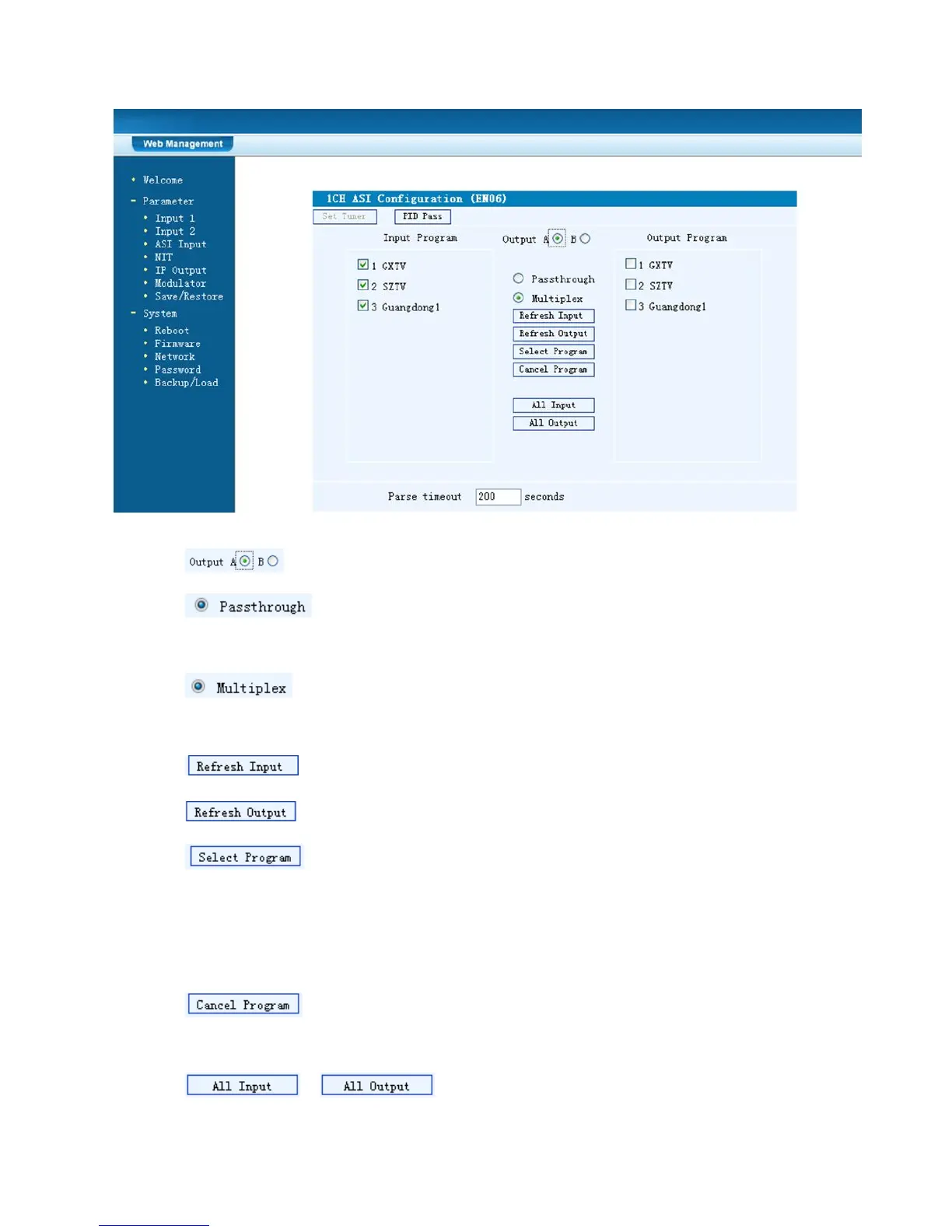
Figure-4
Select the carrier output channel for the multiplexed programs.
If this item is selected, all the input programs will pass through
without any elimination.
Selecting this item to allow user select programs as required to
output.
Click “Refresh Input” to refresh the input program list.
Click “Refresh Output” to refresh the output program list.
When user checks one input program with “√”, one can transfer the
checked program to the right box to output.
Here user can select the programs which we want to output or we can output all the
programs.
Similarly, user can cancel the multiplexed programs from the right
box.
& to select all the input/output programs with



 To Next Page