Change Password
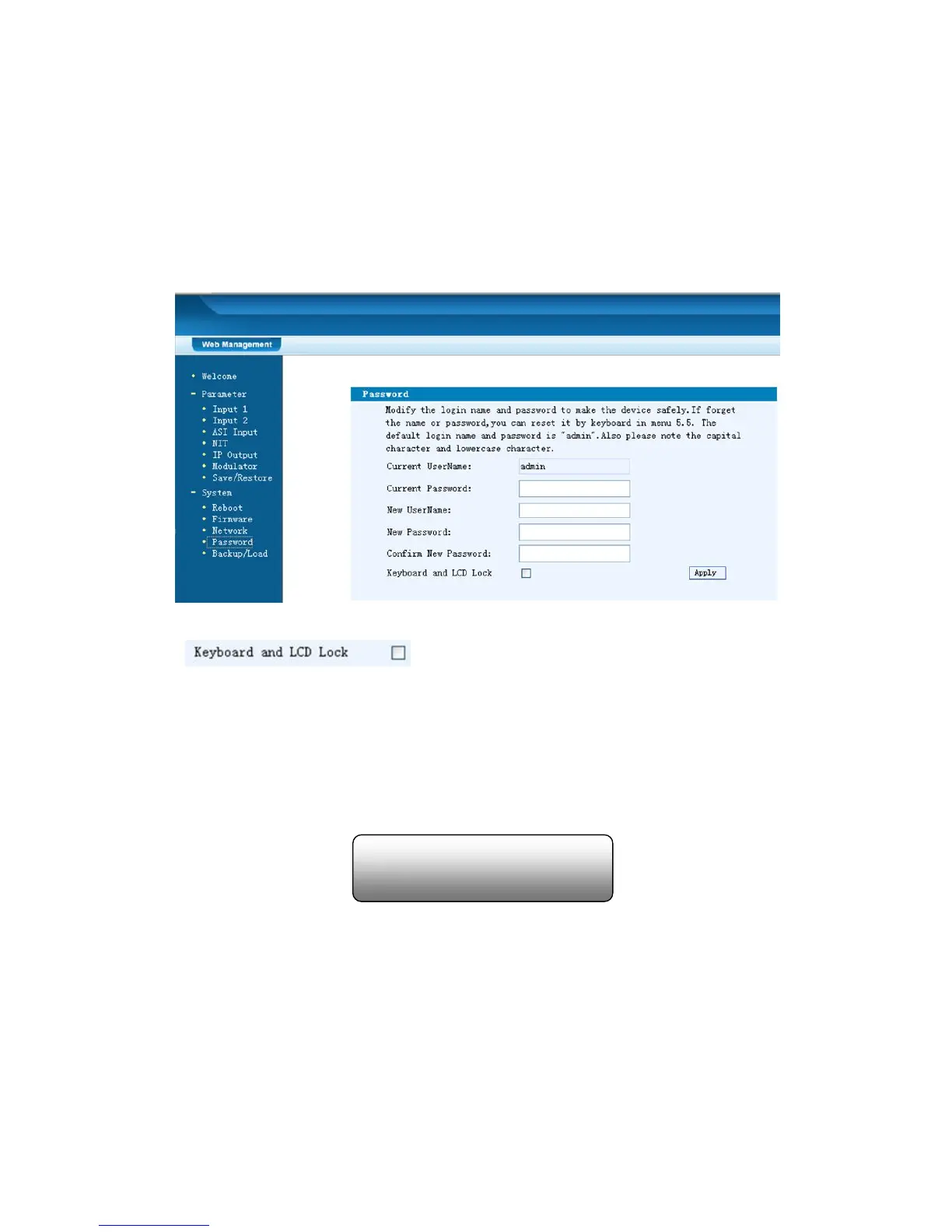
When user clicks “Password”, it will display the password screen as Figure-14.
Here user can change the Username and Password for login to the device.
After putting the current and new Username and Password, click Apply” to save the
configuration.
Figure-14
Keyboard and LCD Lock: If it is marked with “√”,the LCD and keyboard will be
locked to avoid unrelated users’ modifying or view the device information and
configurations. User can’t operate the keyboard & LCD while only the device IP
address can be noted in the LCD window.
Backup/Load
Click “Backup/Load” from the menu, it will display the screen as Figure-15.
Backup Configuration – To back up the device configuration file to a folder
Load Configuration – If user needs to load the old configuration to the device, click
“Browse” and find the backup configuration file path. After selecting the file, click
IP Address
192.168.000.136



 To Next Page