BCS-160User Manual V1.6
41
/
57
10.1 MAINBOARD upgrading
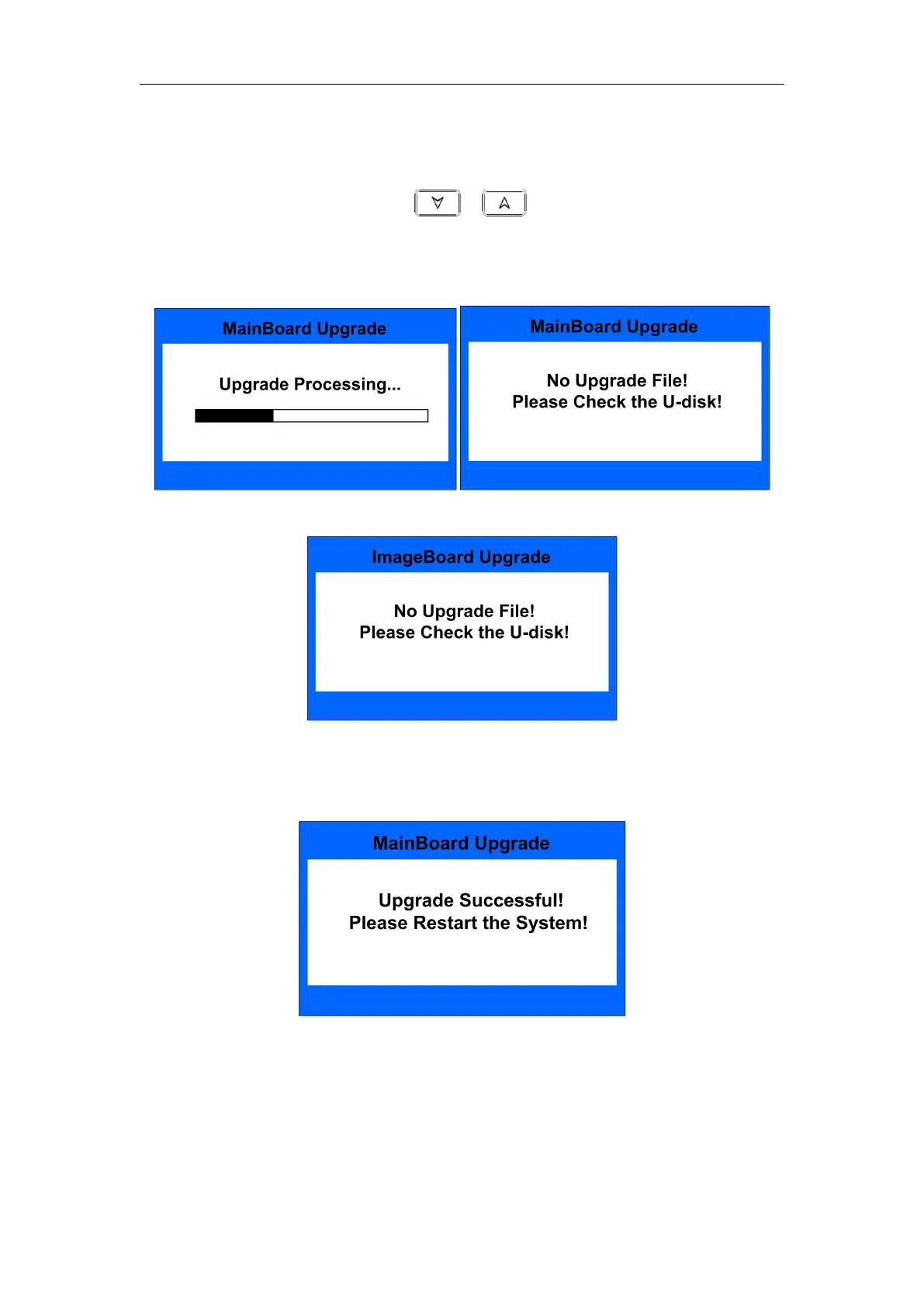
Under interface Fig.38, press or key to choose “1.MAINBOARD”,
and then press ENTER key to start software upgrading, shown as Fig.55. If there
is no software file or file name is not correct, it will display warning messages
shown as Fig.56.
Fig.55 Fig.56-a
Fig.56-b
After software upgrade, please restart the machine referring to the
following message.
Fig.57


 To Next Page