BCS-160User Manual V1.6
45
/
57
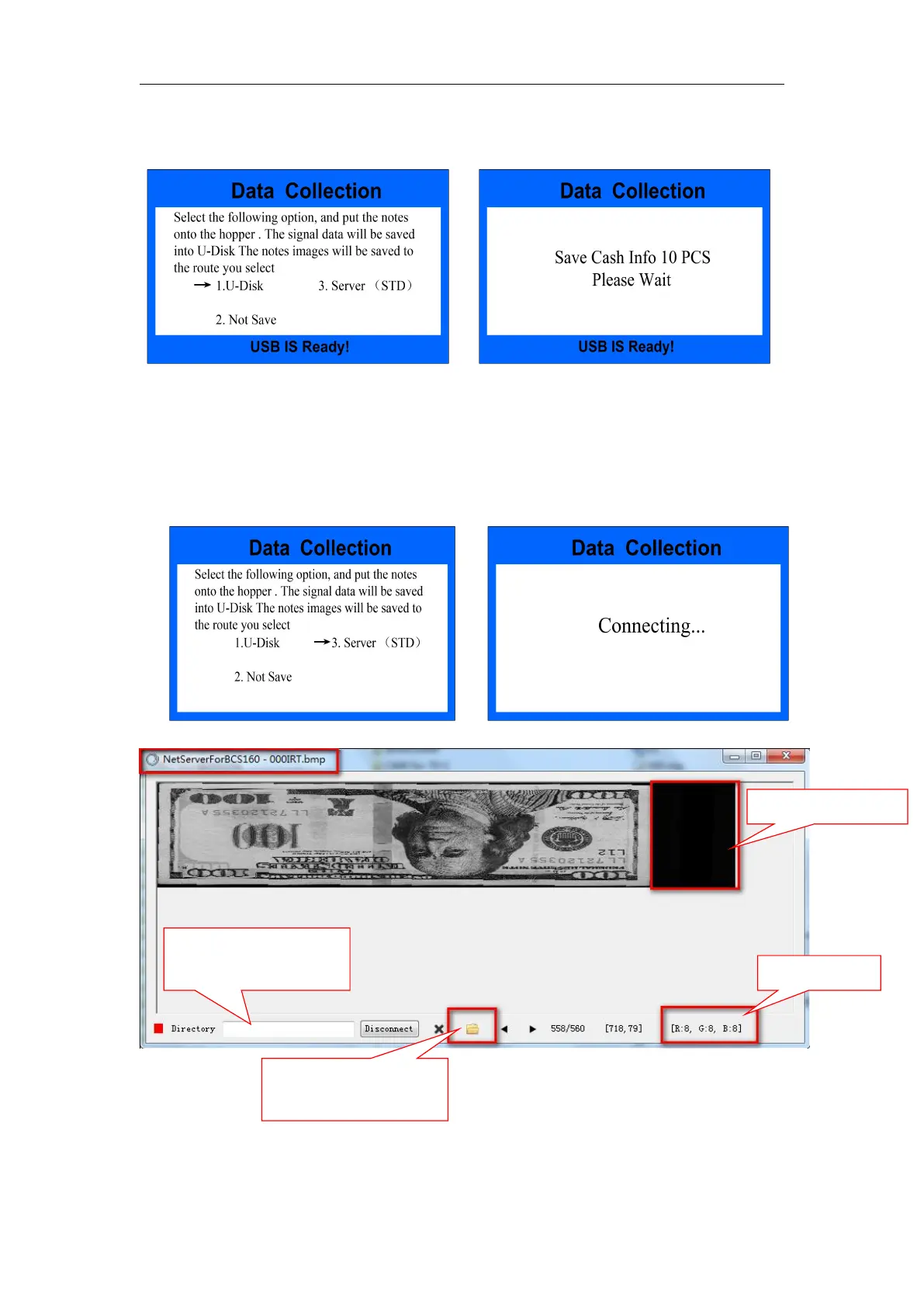
notes information will be collected automatically. You can check the information
in Data menu ( you CAN NOT choose EUR mode to collect)
Fig.65 Fig.66
b)If you use PC software to collect, please connect the machine with PC, and
choose setting as below picture, open the PC software, you can put notes into
the hopper and the it will start collection automatically, you can check the
information under Data menu(you CAN NOT choose EUR mode)
Fig.67 Fig.68
open the file you can
find where you save the
images
You can set specific file
to save the images


 To Next Page