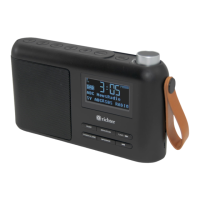
PORTABLE DIGITAL RADIO
6
Basic Operation
1. Charging the radio
The Portable RR20 Radio comes with a built in 3.7v/1800mAh
rechargeable Lithium Battery and is supplied with one USB to micro-
USB cable for recharging. Playback approx. 12 hours @ 50% volume
when fully charged.
Note: Before rst use, fully charge the radio for best performance.
• To charge carefully plug the micro-USB end of the supplied cable
into the micro-USB “DC 5V IN” charge input on the right side of the
radio. Connect the other USB end to a power source such as a
computer USB port or a USB power adapter. (Not included)
• The radio will start charging and give a small red charge indication
light above the charge input. Charge time could take 2.5 to 3 hours
to fully charge the battery. Charging will stop when the radio is fully
charged.
• The radio can also be used when connected to a USB power source
and when switched off will enter a “Standby” mode enabling Alarm
settings to function.
2. Listening to DAB Radio
• Press and hold the
button to switch the radio on. When your
radio is switched on for the rst time it will automatically enter the
DAB mode and perform a Full Auto Scan.
• During the scan, the display will show “Scanning………” together
with a progress bar that indicates the progress and the number of
stations that have been found so far. Once the scan has nished, the
unit will select the rst alphanumerically found station.
• Rotate the Volume dial to adjust the volume, a quick press of the dial
will Mute the volume or Unmute volume.
• To search for other stations, press the TUNE / >>I button to enter
the station list mode and rotate the volume dial to scroll through the
station list. When you nd a station that you want to listen to, press
the dial to conrm that station selection.


 To Next Page