EasyManua.ls Logo

Richter RR35 - User Manual

Richter RR35
20 pages
Print Icon
To Next Page IconTo Next Page
Loading...
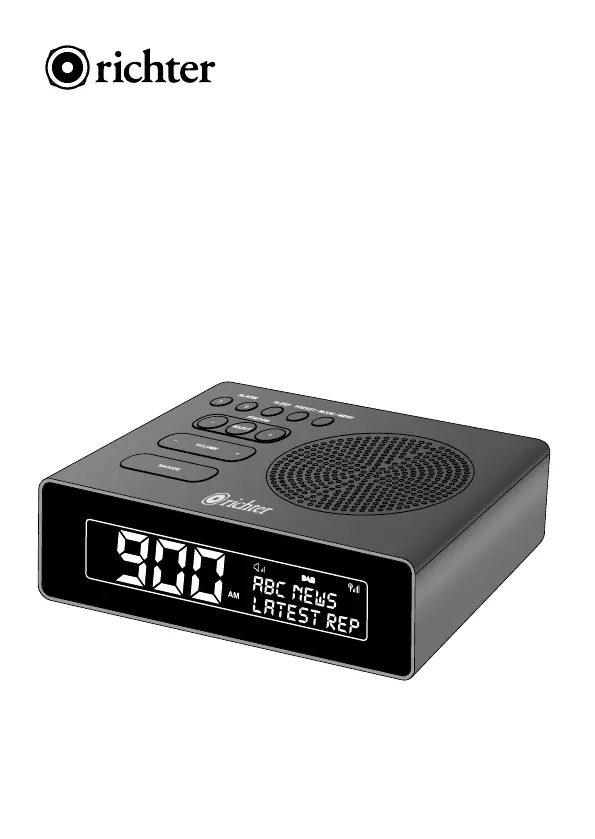
900
ABC NEWS
Latest rep
AM
900
SNOOZE
VOLUME +
+
STATION
SELECT
ALARM
1 2
SLEEP PRESET / MODE / MENU
MODEL: RR35
User Manual
SUNRISE
ALARM CLOCK
DIGITAL RADIO

Questions and Answers

Summary

Important Safety Information

Specifications

Service and Maintenance

Packing List

Product Overview and Controls

Quick Start Guide

Power On and Autoscan

Steps to power on the radio and initiate automatic station scanning.

DAB Quick Start

Procedure for setting up and tuning DAB stations quickly.

FM Quick Start

Procedure for setting up and tuning FM stations quickly.

Basic Operation

Standby Mode

How the radio enters and operates in standby mode.

Alarm Setting Overview

Introduction to setting up dual alarms on the clock radio.

Alarm Setup Procedure

Detailed steps for configuring Alarm 1 and Alarm 2 settings.

Snooze Function

Using the snooze feature when the alarm sounds, including duration options.

Stopping and Switching Off Alarms

Methods to stop an active alarm or switch alarms off completely.

Sleep Timer Function

Setting a sleep timer for the radio to automatically switch to standby.

Display Dimmer Function

Adjusting the brightness level of the display screen.

Station Presets

Storing and recalling favorite DAB and FM radio stations.

Display Information (Info)

Viewing various information like Radio Text, Signal Strength, and Time.

DAB Menu and Functions

Full Scan

Performing a complete scan for available DAB stations.

Manual Tune

Manually tuning to specific DAB channels and frequencies.

DRC (Dynamic Range Compression)

Adjusting dynamic range compression for audio broadcast.

Prune Stations

Removing invalid or unlisted stations from the DAB station list.

System Settings

Accessing system configurations like Time, Backlight, and Language.

Time Settings

Configuring the clock time, date, and update sources.

Set Time and Date

Manual setup for the hour, minute, and date on the clock radio.

Automatic Time Update

Configuring automatic time synchronization from DAB or FM sources.

Set 12;24 Hour Format

Choosing between 12-hour and 24-hour display formats for the time.

Set Date Format

Selecting the preferred display format for the date.

Backlight Settings

Adjusting backlight brightness and display timeout.

Language Selection

Choosing the display language for the radio's interface.

Factory Reset Procedure

Restoring the radio to its original default settings.

Software Version

Displaying the current software version installed on the radio.

FM Menu and Functions

FM Scan Settings

Configuring how the radio scans for FM stations.

Audio Settings

Adjusting audio output for weak FM stations (Stereo/Mono).

Scan Behavior

Defining how the radio searches and stays on FM stations.

Troubleshooting

Error Messages

Your Warranty

Richter RR35 Specifications

General IconGeneral
Frequency Range400-470 MHz
Channels16
Output Power5W
ModulationFM
Antenna Impedance50Ω
Power Supply7.4V DC

Related product manuals