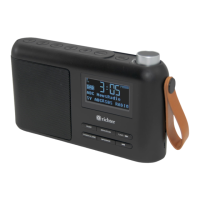
SUNRISE ALARM CLOCK DIGITAL RADIO
2
Contents
Important safety information .................................................... 3
Specications, Service & Packing List..................................... 4
Your Sunrise DAB+/FM digital radio ........................................ 5
Quick start guide...................................................................... 6
- For DAB
- For FM
Basic operation ........................................................................ 7
Standby Mode ......................................................................... 7
Alarm Setting ........................................................................... 7
Alarm Set Up ........................................................................ 7-8
Snooze Function...................................................................... 8
Stop alarm ............................................................................... 9
Switch alarm off ....................................................................... 9
Sleep ....................................................................................... 9
Dimmer function ...................................................................... 9
Preset .................................................................................... 10
Info......................................................................................... 10
DAB menu ..............................................................................11
Full scan .................................................................................11
Manual tune ............................................................................11
DRC (Dynamic Range Compression).................................... 12
Prune ..................................................................................... 12
System................................................................................... 12
Time ....................................................................................... 12
Set Time/Date ........................................................................ 13
Auto update ........................................................................... 13
Set 12/24 hour ....................................................................... 13
Set date format ...................................................................... 14
Backlight ................................................................................ 14
Language............................................................................... 14
Factory reset.......................................................................... 14
Software version .................................................................... 14
FM Menu ............................................................................... 15
Scan setting ........................................................................... 15
Audio setting .......................................................................... 15
Scan behavior........................................................................ 16
Troubleshooting ..................................................................... 16
Error Messages ..................................................................... 17


 To Next Page