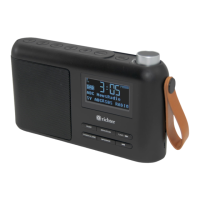
SUNRISE ALARM CLOCK DIGITAL RADIO
10
9. Preset
Spectrum Clock radio has a ‘Preset’ button to store or recall for DAB and
FM stations.
To store a preset
Press and hold the ‘Preset’ button until the display shows the text ‘Preset
Store’. Press the ‘- Station +’ button to select the preset number. Press
the ‘Select’ button to conrm to store the station.
Recall a station to the preset list
To recall a preset station, press the ‘Preset’ button once the display
shows the text ‘Preset Recall’. Press the ‘- Station +’ button to select the
preset number. Press the ‘Select’ button to conrm to recall the stored
station.
10. Info
Press the ‘Select’ button repeatedly to change the information shown on
the screen.
Info options in DAB mode:
• DLS (Dynamic Label Segment
- short text information
broadcast with DAB audio)
• Signal strength
• PTY (Programme type)
• Ensemble
• Frequency
• Signal quality
• Bitrate
• Time
• Date
Info options in FM mode:
• Radio Text
• PTY (Programme type)
• PS (Programme service)
• Stereo/Mono
• Time
• Date


 To Next Page