15
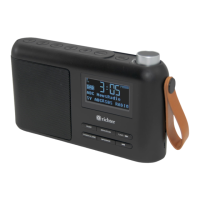
MODEL: RR35
26. FM Menu
This allows you to tailor the FM radio with a variety of options to suit you.
Press and hold the ‘Mode/Menu’ button until enter menu mode.
Using ‘- Station +’ button, press ‘-’ or ‘+’ button to select option.
Press ‘Mode/Menu’ to take a step back within the menu.
You can exit the Menu by pressing and holding the ‘Mode/Menu’ button.
Menu options in FM mode:
• Scan setting
• Audio setting
• Scan behavior
• System
• Info
27. Scan setting
FM scans stop at available station. If choosing scan at all station, this
may result in poor quality audio from weak stations.
Options:
• Strong stations only(default)
• AII stations
Press ‘- Station +’ button to select particular option in ‘Scan setting’ and
press the ‘Select’ button once to conrm the change to new setting
28. Audio setting
By default, all stereo stations are reproduced in stereo. For weak
stations, this may result in poor quality audio. The audio quality can be
improved using mono.
Options:
• Stereo allowed (default)
• Forced mono.
Press ‘- Station +’ button to select particular option in ‘Audio setting’ and
press the ‘Select’ button once to conrm the change to new setting


 To Next Page